Creating Bots
Creating a trading bot in HaasOnline Cloud is easy with our three-path approach. Whether you want to clone a configuration template, choose a beginner-friendly bot type, or browse the full script library, we've got you covered.
Getting Started
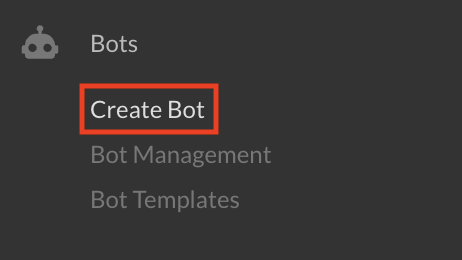
To create a new bot, click "Create Bot" in the left sidebar.
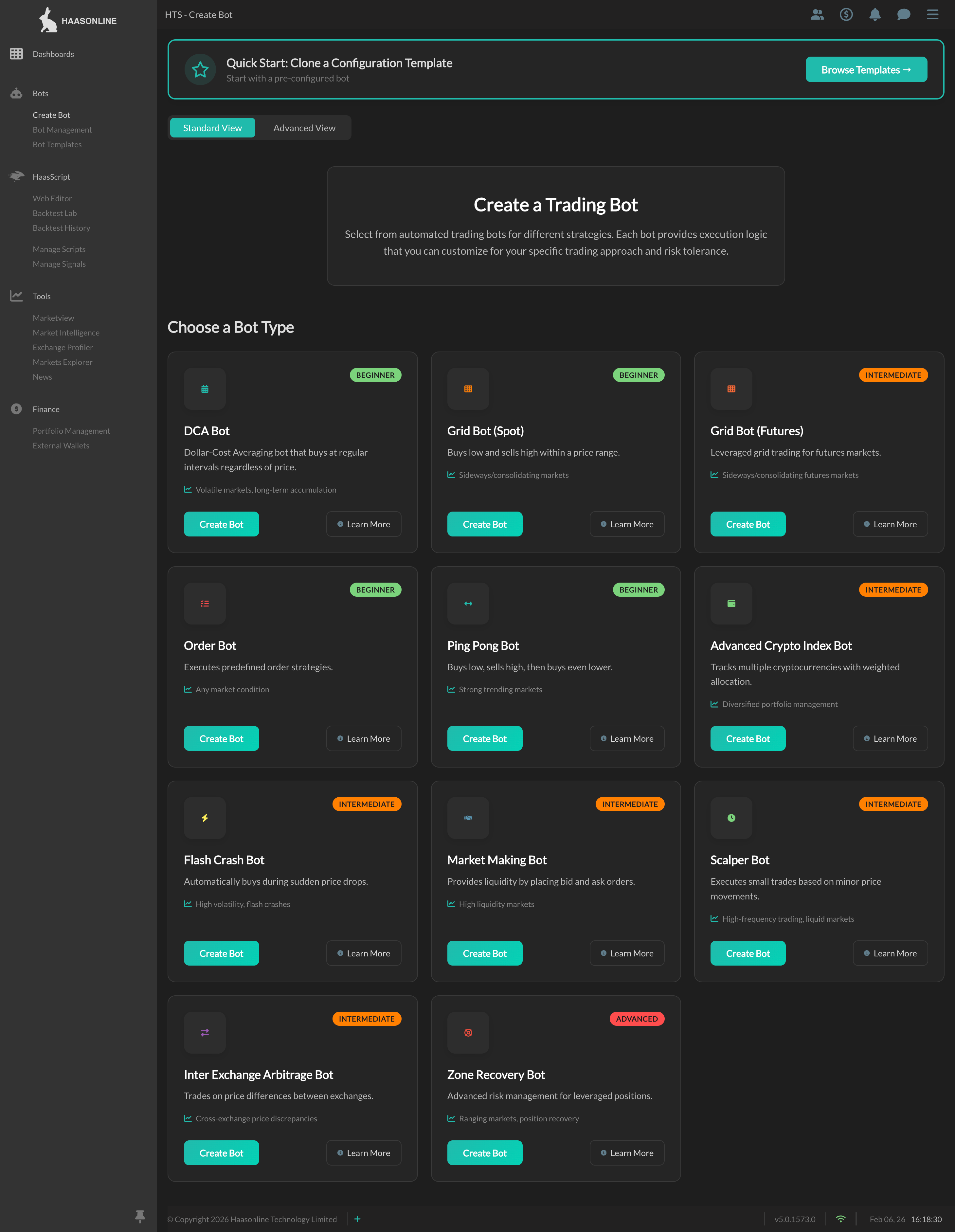
You'll see three ways to create a bot at the top of the page:

Method 1: Quick Start with Templates
The fastest way to get started. Clone a pre-configured bot template.
Jurisdictional Restrictions
Templates are not available to US persons. If you are in a restricted jurisdiction, this feature will not be accessible.
Steps
- Click "Browse Templates →" in the Quick Start banner
- Browse the list of available configuration templates:
- Bot name and script type
- Market and exchange
- Strategy category
- Complexity level
- Click the bot name or clone icon for your chosen template
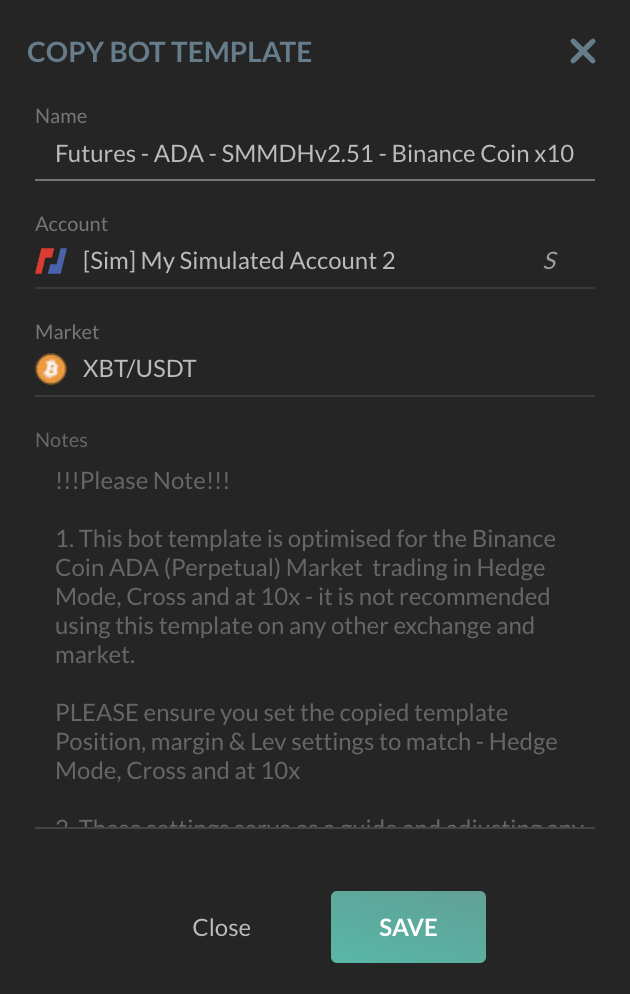
- In the configuration modal:
- Bot Name: Customize the name (or use the default)
- Account: Select which exchange account to use
- Market: Choose the trading pair (pre-selected if available)
- Notes: Read the template description (read-only)
- Click "Save" to create your bot
About Configuration Templates
Configuration Template
This is a configuration template that demonstrates one possible implementation. It is not a recommended strategy or optimal configuration. Users must customize all parameters, test thoroughly, and validate suitability for their own trading objectives and risk tolerance.
When to Use Templates
✅ Best for: Users who want to start trading quickly with example configurations ✅ Advantage: Pre-configured settings to demonstrate typical implementations ✅ Note: You can modify the bot's settings after creation
Learn more about Bot Templates
Method 2: Standard View (Recommended)
Choose from beginner-friendly bot types organized by strategy category. Each bot type automatically uses the correct script.
Steps
- Browse bot types in Standard View (default)
- Bot types are organized into three categories:
- Accumulation Strategies
- Market Making & Trading
- Risk Management
- Click a bot type card to see its details
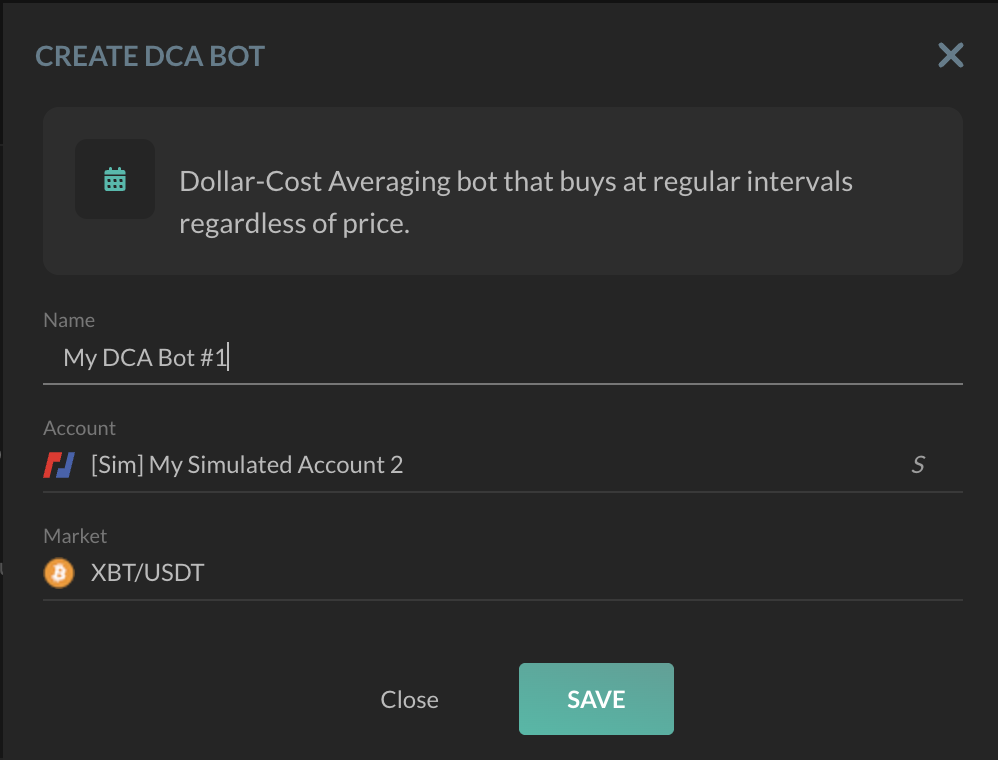
- In the configuration modal:
- Bot Name: Enter a name (auto-generated suggestion provided)
- Account: Select your exchange account
- Market: Choose your trading pair
- Click "Save" to create your bot
Available Bot Types
Accumulation Strategies
Systematic buying strategies for building positions over time.
DCA Bot
- Description: Dollar-Cost Averaging bot that buys at regular intervals regardless of price
- Best for: Long-term accumulation, minimizing impact of volatility
- Market conditions: Volatile markets
- Difficulty: Beginner
- Script: Haasonline Original - Accumulation Bot
Grid Bot (Spot)
- Description: Places multiple buy and sell orders at predetermined intervals within a price range
- Best for: Capturing value from market oscillations
- Market conditions: Sideways/consolidating markets
- Difficulty: Beginner
- Script: Haasonline Original - Spot Grid Bot
Grid Bot (Futures)
- Description: Leveraged grid trading for futures markets
- Best for: Profiting from ranging markets with leverage
- Market conditions: Sideways/consolidating futures markets
- Difficulty: Intermediate
- Script: Haasonline Original - Futures Grid Bot
- ⚠️ Note: Higher risk due to leverage
Advanced Crypto Index Bot
- Description: Tracks multiple cryptocurrencies with weighted allocation
- Best for: Diversified portfolio management
- Market conditions: Any market
- Difficulty: Intermediate
- Script: Haasonline Original - Advanced Index Bot
Market Making & Trading
Spread-based and price movement strategies.
Order Bot
- Description: Executes predefined order strategies
- Best for: Systematic scaling in or out of positions
- Market conditions: Any market
- Difficulty: Beginner
- Script: Haasonline Original - Order Bot
Ping Pong Bot
- Description: Buys low, sells high, then buys even lower
- Best for: Scalping in trending markets
- Market conditions: Strong trends
- Difficulty: Beginner
- Script: Haasonline Original - Ping Pong Bot
Market Making Bot
- Description: Provides liquidity by placing bid and ask orders
- Best for: Earning spreads in liquid markets
- Market conditions: High liquidity markets
- Difficulty: Intermediate
- Script: Haasonline Original - Market Making Bot
Scalper Bot
- Description: Executes small trades based on minor price movements
- Best for: High-frequency trading
- Market conditions: Liquid markets with frequent price changes
- Difficulty: Intermediate
- Script: Haasonline Original - Scalper Bot
Inter Exchange Arbitrage Bot
- Description: Trades on price differences between exchanges
- Best for: Capturing cross-exchange inefficiencies
- Market conditions: Markets with price discrepancies
- Difficulty: Intermediate
- Script: Haasonline Original - Inter Exchange Arbitrage Bot
- ⚠️ Note: Requires accounts on multiple exchanges
Risk Management
Position protection and recovery strategies.
Flash Crash Bot
- Description: Automatically buys during sudden price drops
- Best for: Capturing value during market panic
- Market conditions: High volatility, flash crashes
- Difficulty: Intermediate
- Script: Haasonline Original - Flash Crash Bot
Zone Recovery Bot
- Description: Advanced risk management for leveraged positions
- Best for: Recovering from losing positions
- Market conditions: Ranging markets
- Difficulty: Advanced
- Script: Haasonline Original - Zone Recovery Bot
- ⚠️ Note: High risk, high complexity. Requires deep understanding of leverage.
Recommended Starting Points
For beginners, we recommend starting with:
- DCA Bot - Simple and effective for long-term accumulation
- Grid Bot (Spot) - Great for learning how grid strategies work
- Order Bot - Perfect for planned entry/exit strategies
Strategy Disclaimer
Strategy Disclaimer
These bot types are provided as execution frameworks, not trading recommendations. Each bot type represents a technical implementation pattern. Users must independently configure, test, and validate all parameters before deployment. This does not constitute investment advice or an endorsed strategy. You are solely responsible for all trading decisions and outcomes.
Method 3: Advanced View
For experienced users who want full control over script selection. Browse the complete HaasScript library.
Steps
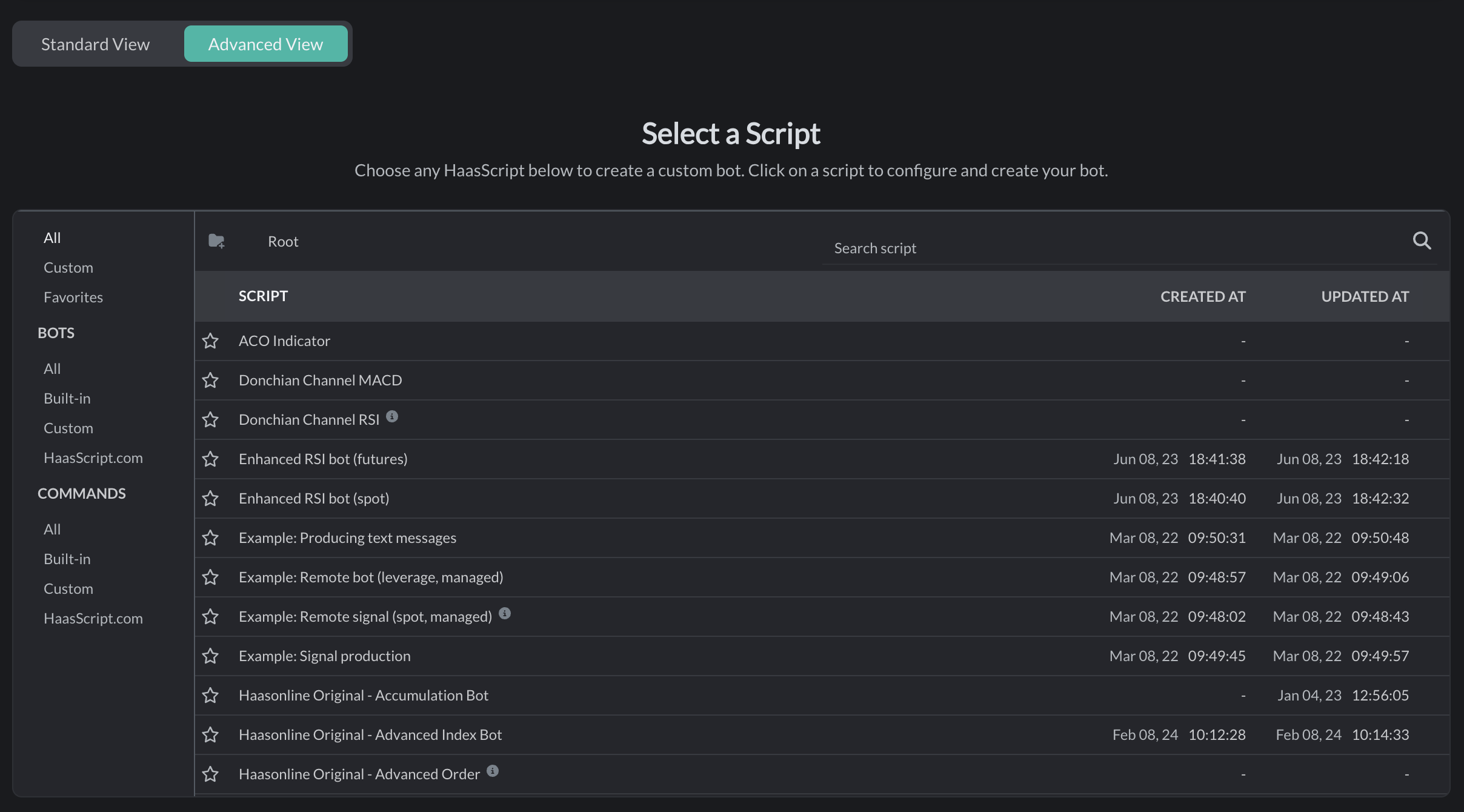
- Switch to "Advanced View" tab
- Browse scripts using the script browser:
- All Scripts: View all available scripts
- Favorites: Your starred scripts
- Custom: Scripts you've created
- Built-in: Official Haasonline scripts
- Folders: Organized script collections
- Use the search bar to find specific scripts
- Click any script to select it
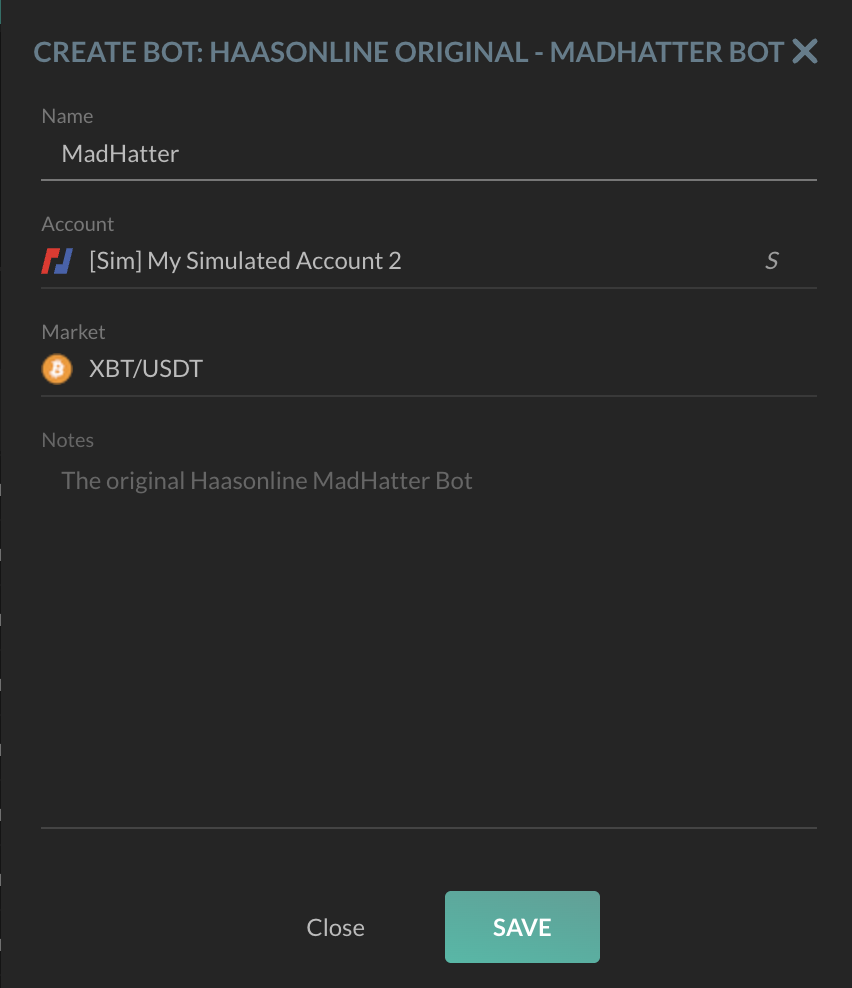
- In the configuration modal:
- Bot Name: Enter a name
- Account: Select your account
- Market: Choose your trading pair
- Script Description: Review the script details (read-only)
- Click "Save" to create your bot
When to Use Advanced View
✅ Best for: Users who want to use specific custom scripts or experimental strategies ✅ Advantage: Access to the complete script library ✅ Note: Requires understanding of HaasScript and bot configuration
After Creating Your Bot
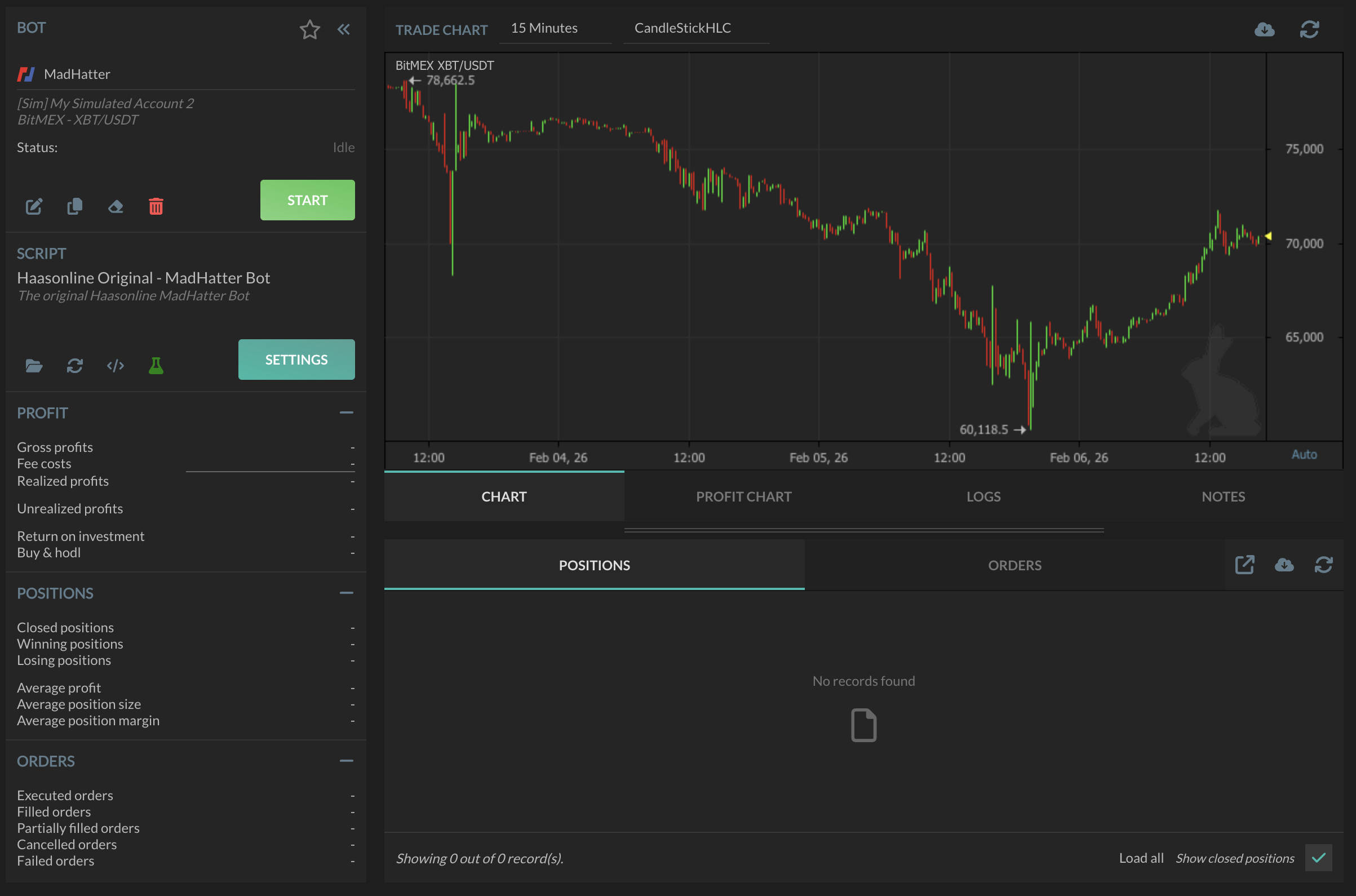
Once your bot is created, you'll be taken to the Bot Setup page where you can:
- Configure strategy-specific settings
- Set position sizing and risk management
- Enable safety features (stop loss, take profit)
- Start or stop your bot
- View logs and performance metrics
Good Practices
- Start with a simulated account to test your bot
- Use proper risk management (position sizing, stop loss)
- Monitor performance regularly
- Backtest your strategy before going live
Alternative Method: Bot Management
You can also create bots from the Bot Management page by clicking the floating "+" button. This uses the traditional two-step flow (enter details, then select script).