Bitfinex
Obtaining the API Key
Danger
Do NOT use the same API key that you have created for other services.
Do NOT add IP address restrictions as your API key might not work. We use multiple IP addresses which are unfeasible to be added to the whitelist.
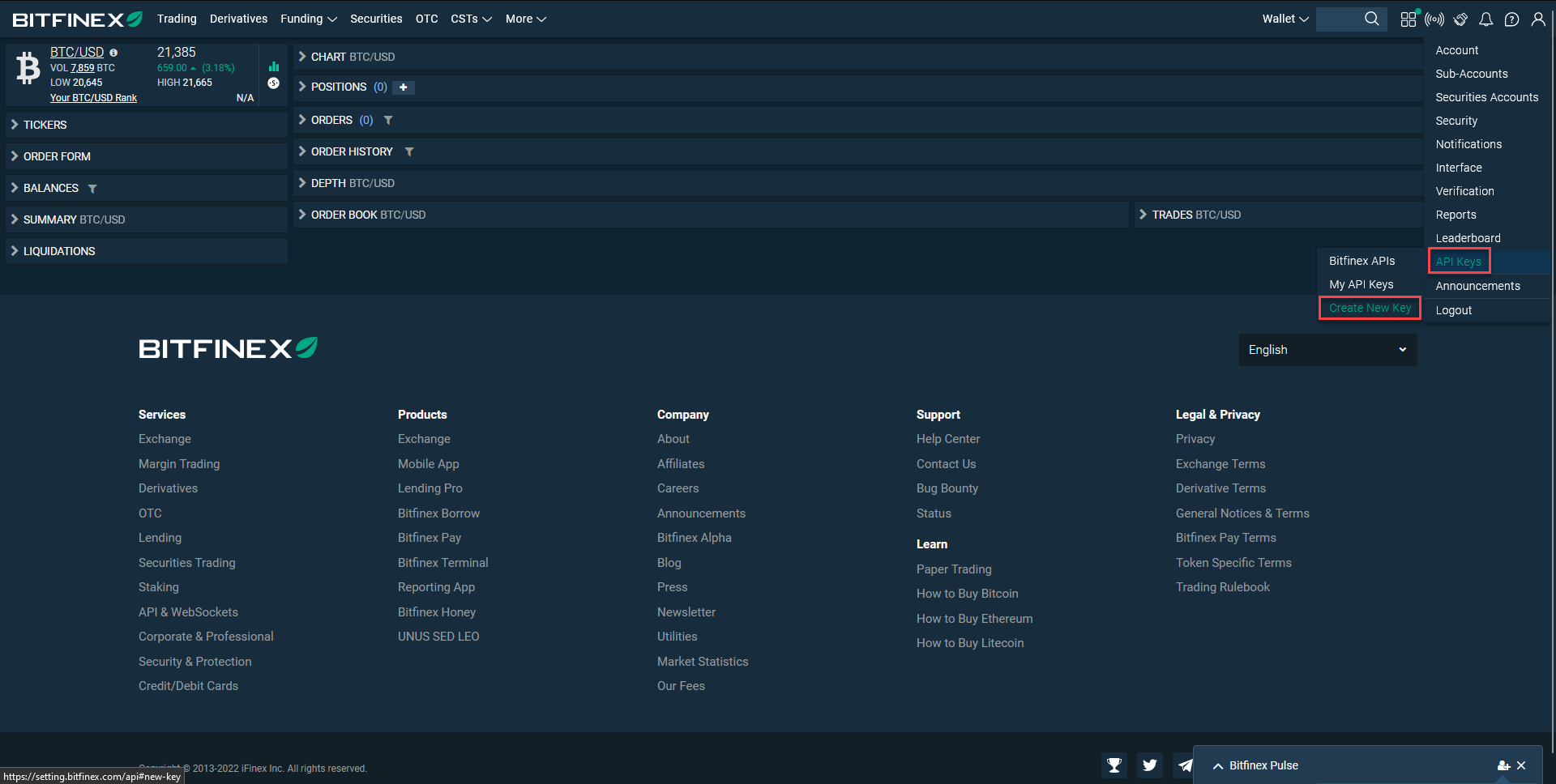
- Log in to Bitfinex
- Click on
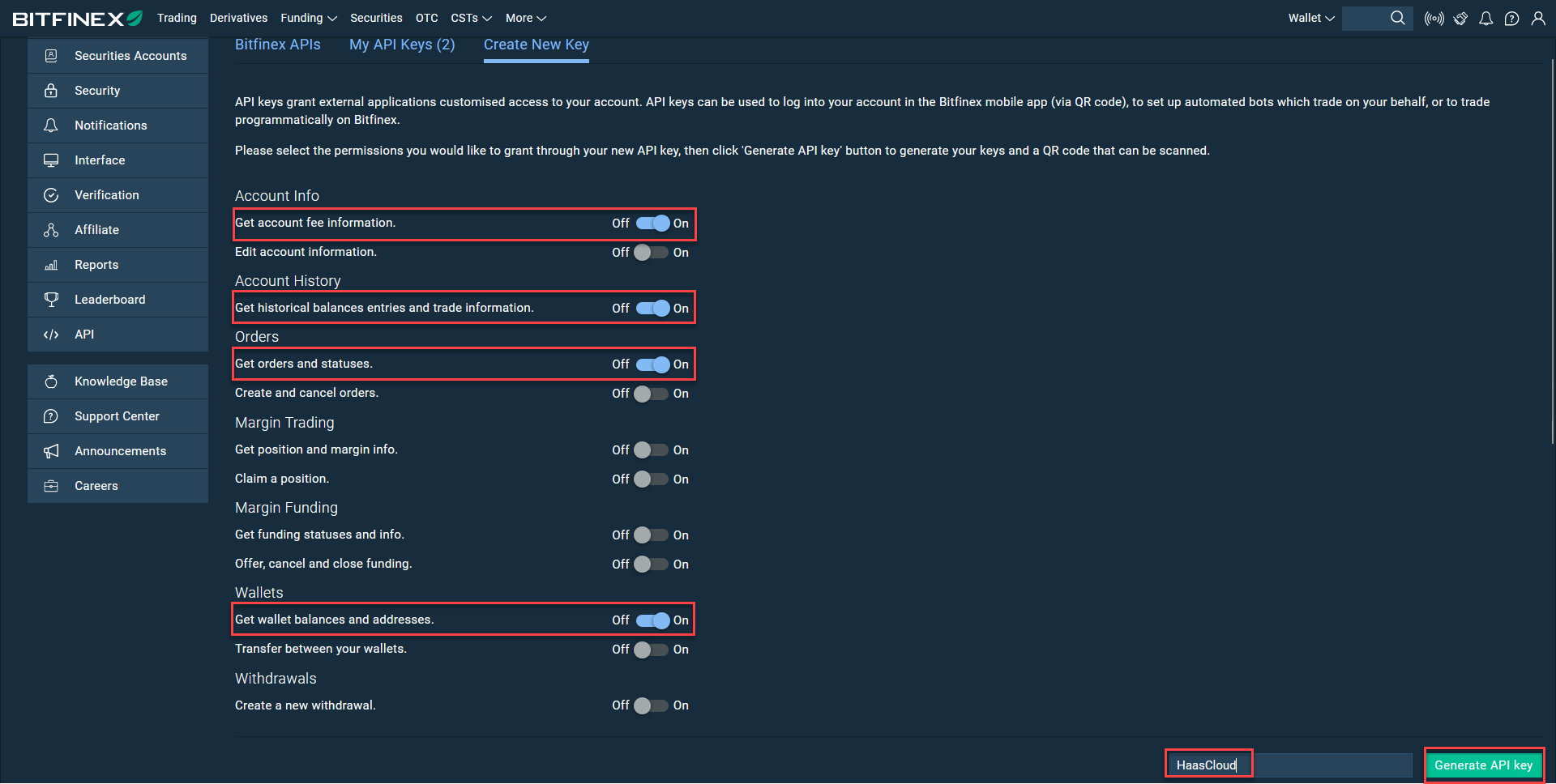
API Managementand then onCreate New Key - Toggle
Ononly the following: - Get account fee information.
- Get historical balances entries and trade information.
- Get orders and statuses.
- Get wallet balances and addresses.
- Enter a name for the API Key.
- Click
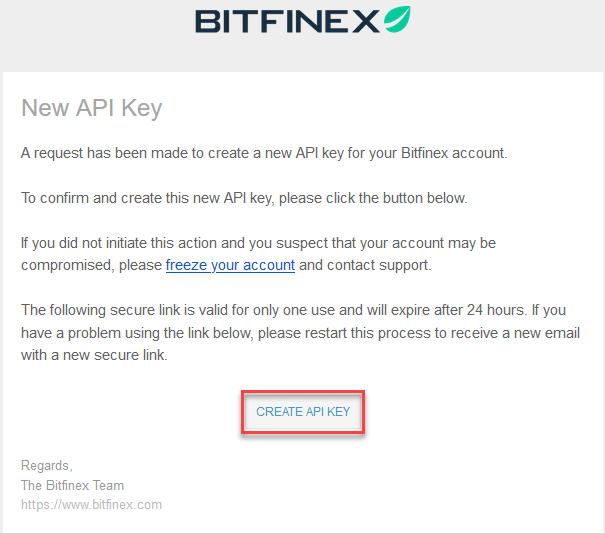
Generate API key - Go to your email that associated with the account and approve the API key by clicking on
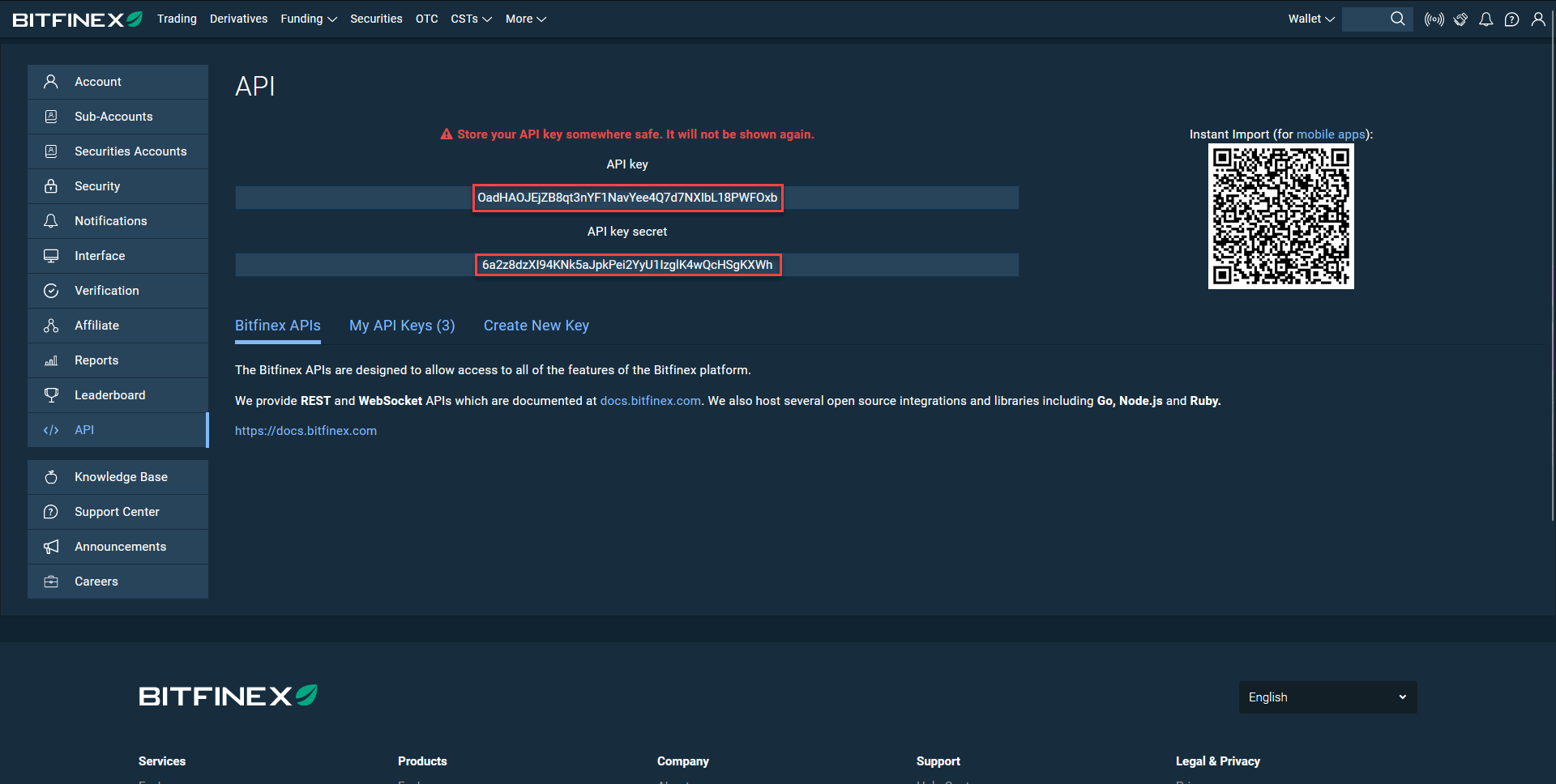
CREATE API KEYin the email itself - Upon clicking the button, your browser will open a new page to Bitfinex with your newly generated API key
- Keep the new page open and log in to your HaasOnline TradeServer and navigate to the Exchange Accounts page.