BitMEX
Obtaining the API
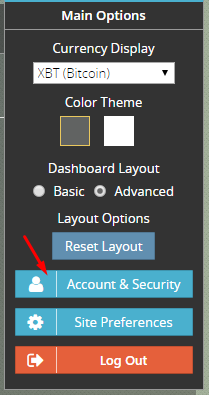
To create the API keys for your BitMEX account you need to login and navigate to the Account & Security page.
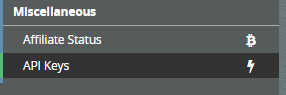
The API Keys can be found on the left side menu under Miscellaneous
Be aware you MUST select the "Order" as your Key Permission before you proceed
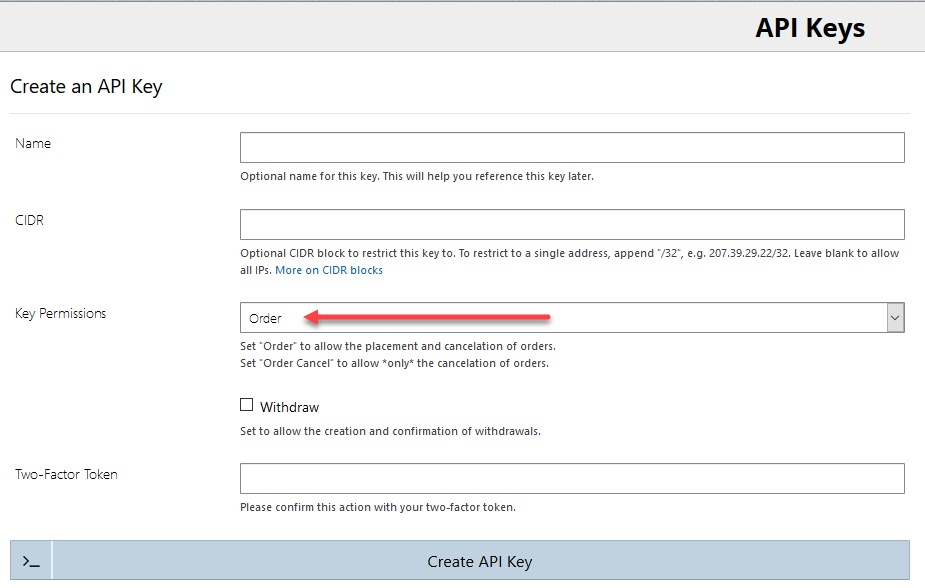
\ Click the submit button to generate your API key. Copy and paste this information into HaasOnline TradeServer in the Exchange Accounts page.

Please ensure that the end result of the API creation is similar to the below:
Danger
If you have selected Order Cancel, please recreate your API key. This option will allow ONLY the cancellation of orders.
