Bitstamp
Obtaining the API
Log in to your account and then select the Account menu

Once the Account Page is open find the security menu and expand it to show the API access option
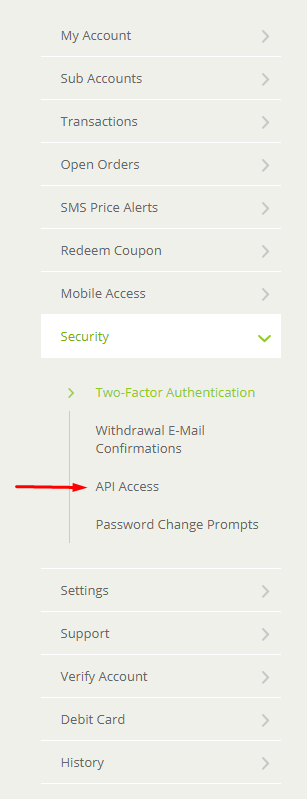
Select the API Access menu and then click on the New API Key menu option

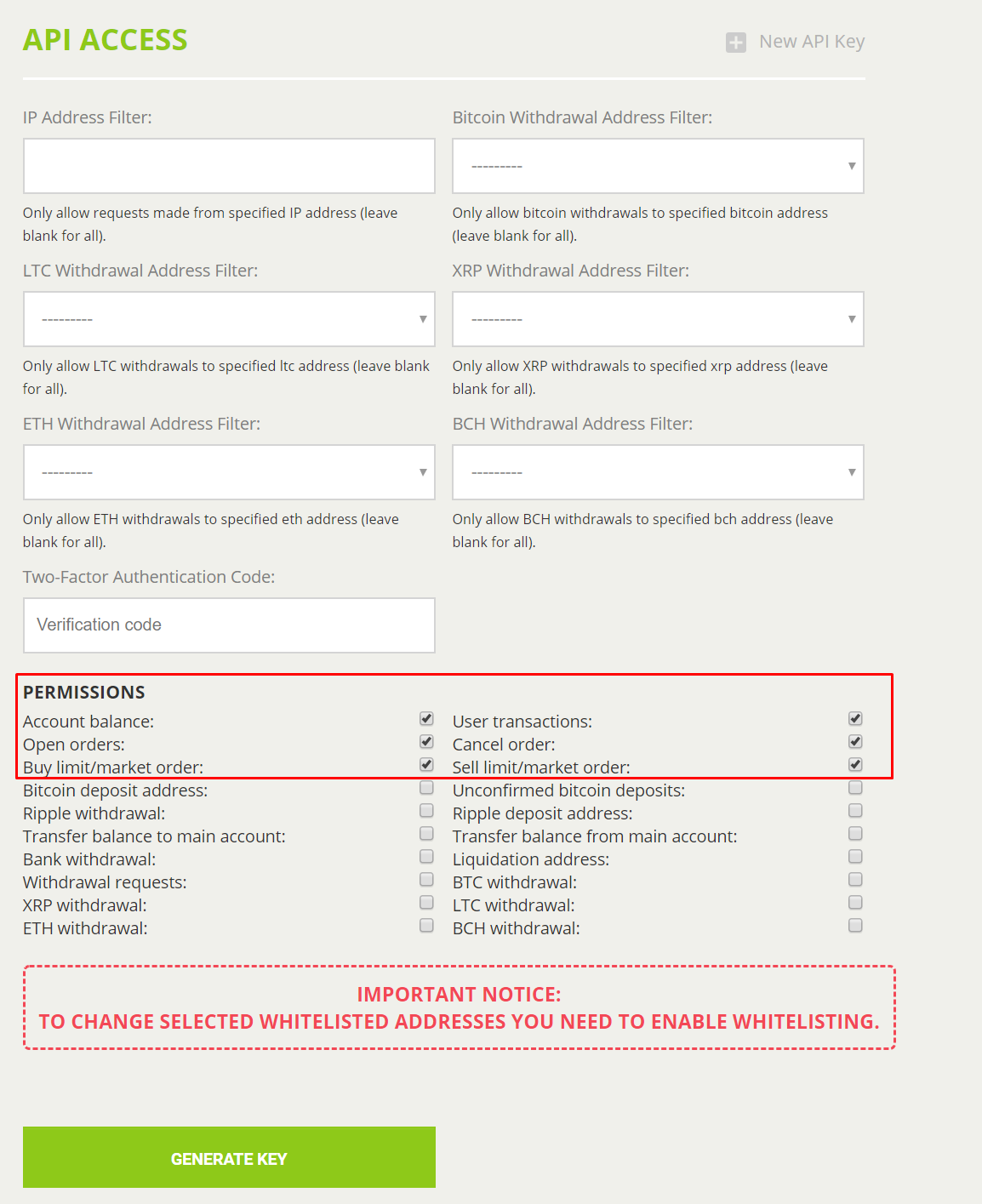
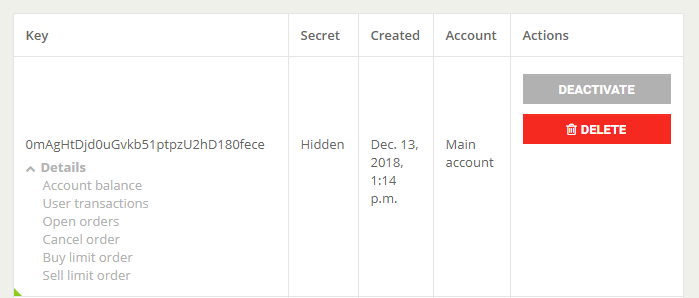
Select all the permissions show below
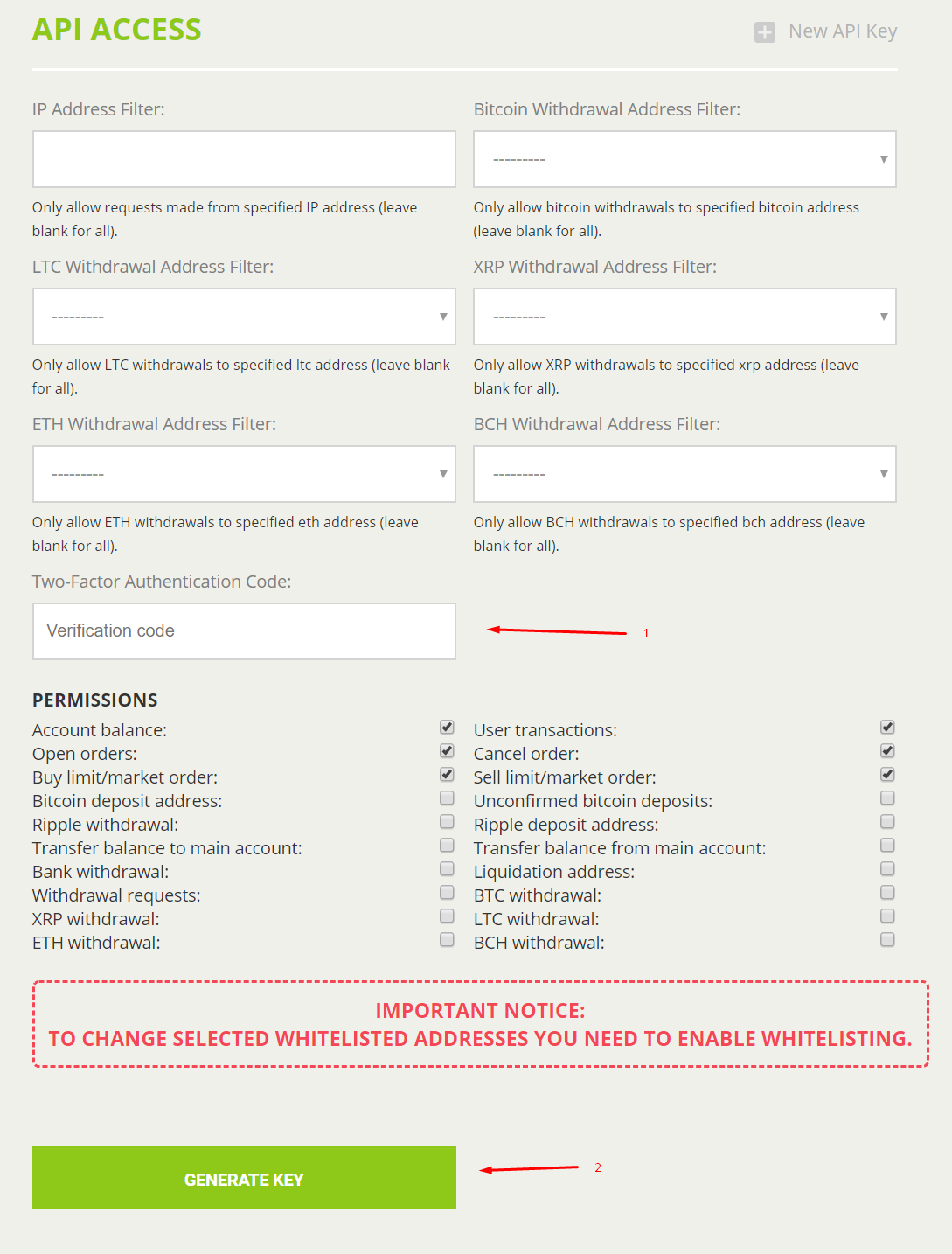
Add your Two-Factor Authentication Code and then click Generate Key
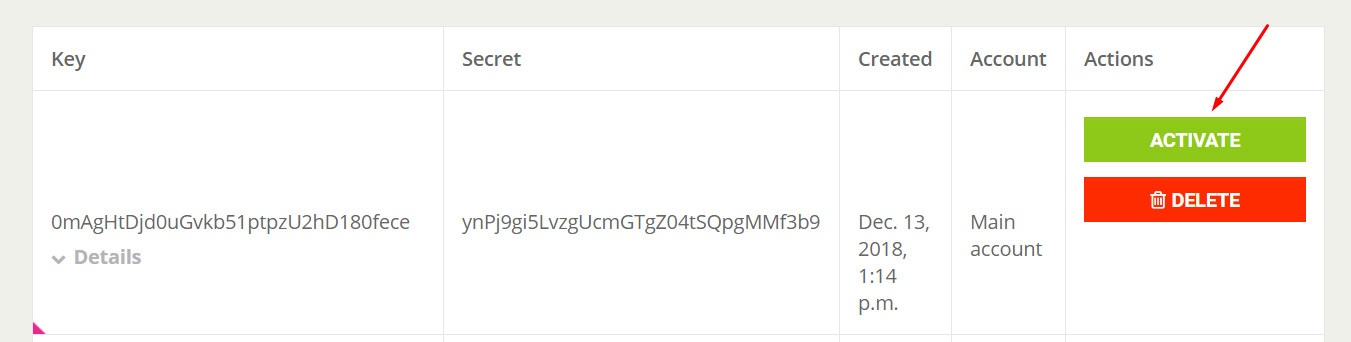
Save the details for the KEY and SECRET to be used in the HaasOnline TradeServer and click the Activate button
Bitstamp will send you an email requesting you click on a link to complete the API key activation process. Clicking the link will take you back to the Bitstamp API Access page which will show you the details of the recently activated API key
Now, all that is needed is to add the API Key and Secret data to the HaasOnline TradeServer in the Exchange Accounts page.