Skip to content

Deribit

Obtaining the API

To get the API keys for your Deribit account, you need to log in and click on Settings from the dropdown on the top right of the screen
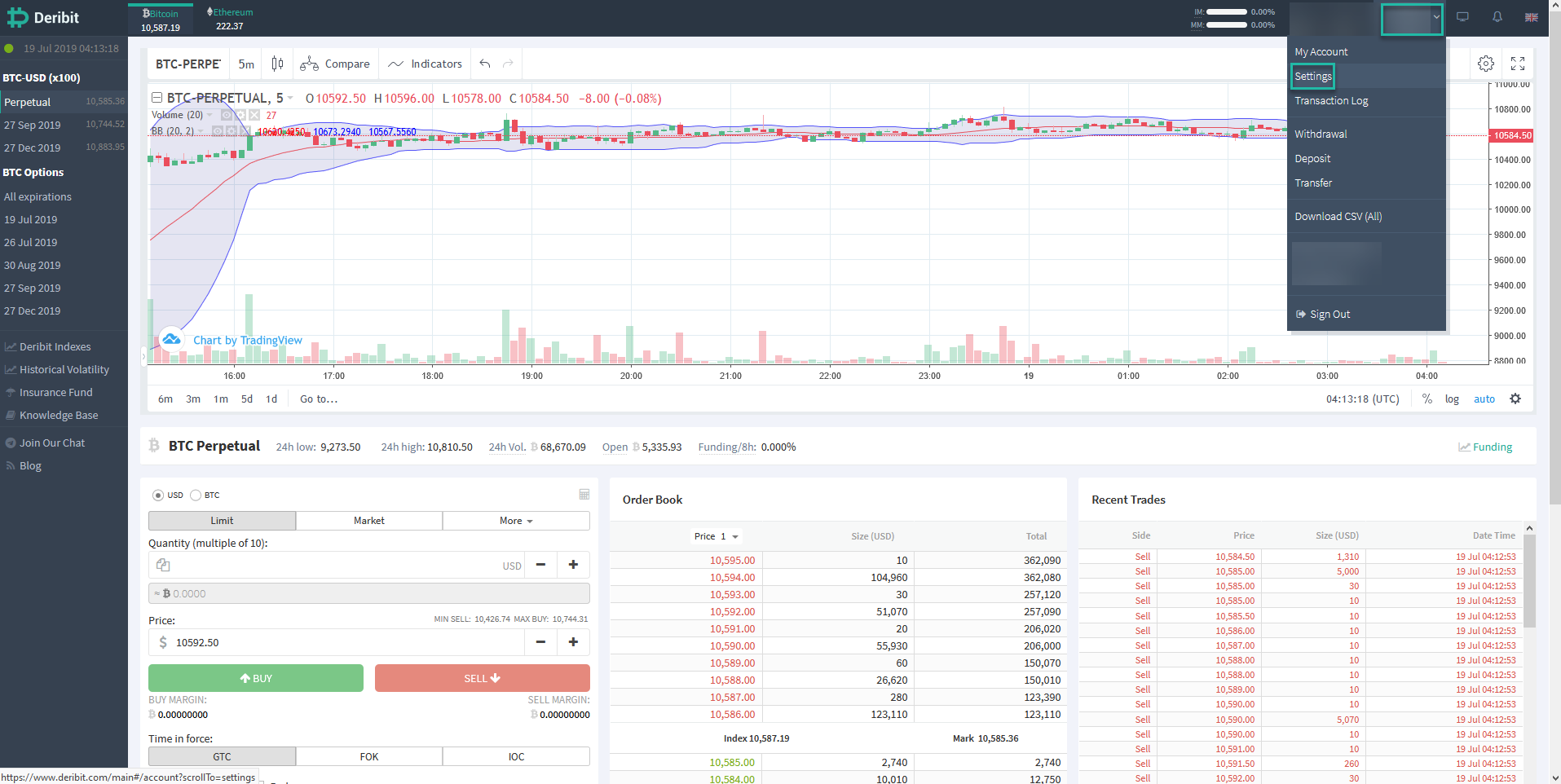
Real-time cryptocurrency trading dashboard with charts, order book, and recent trades details.

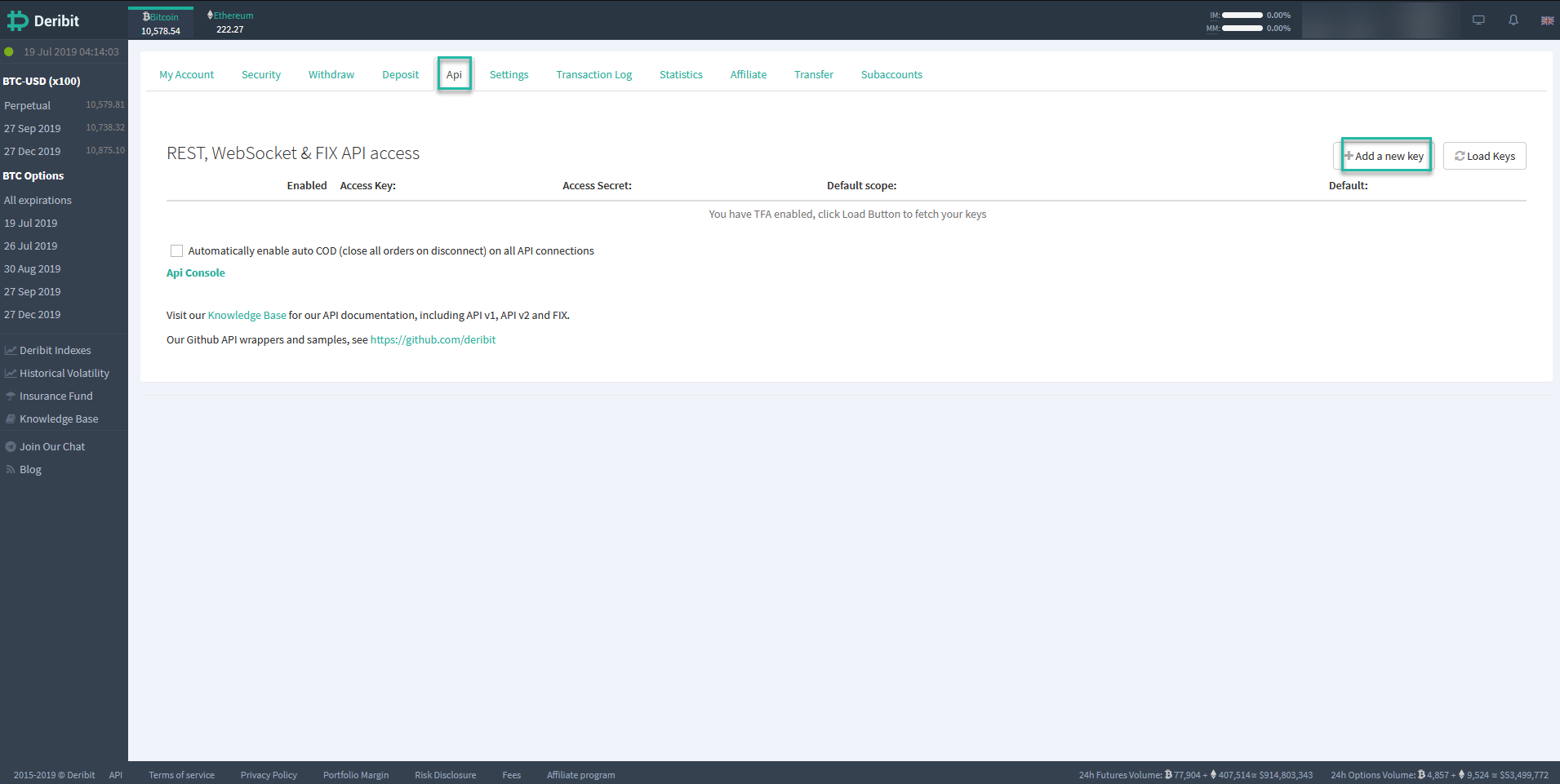
Click on Api and then Add a new key

Deribit cryptocurrency exchange API management interface showing REST, WebSocket, and FIX API access configuration options.

A pop-up will appear and you will need to set the settings as below.
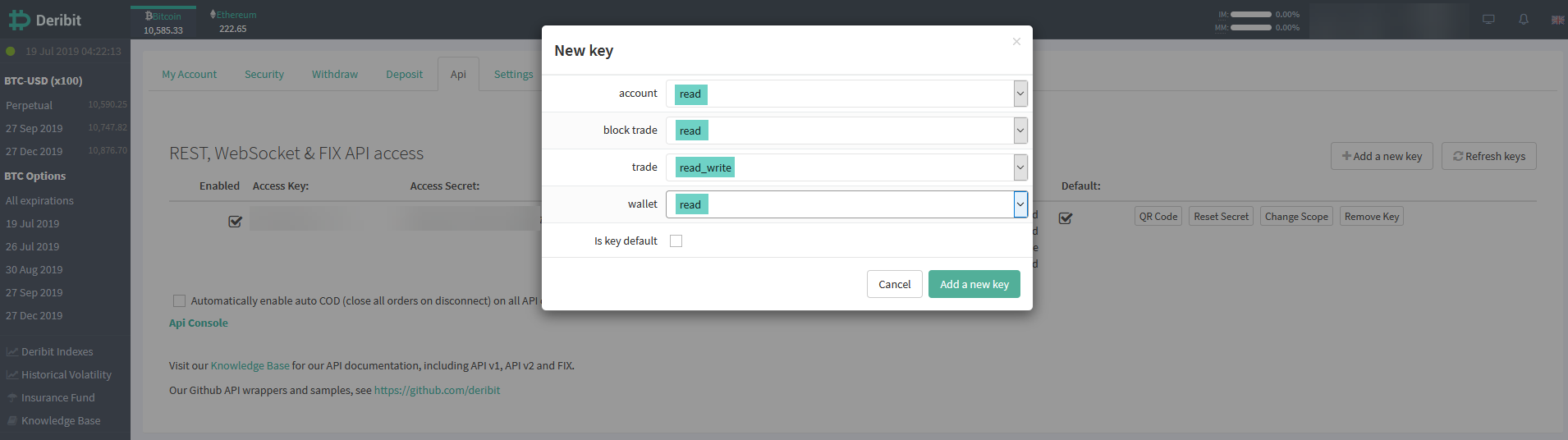
Deribit cryptocurrency exchange API dashboard with API key management interface and permissions settings.

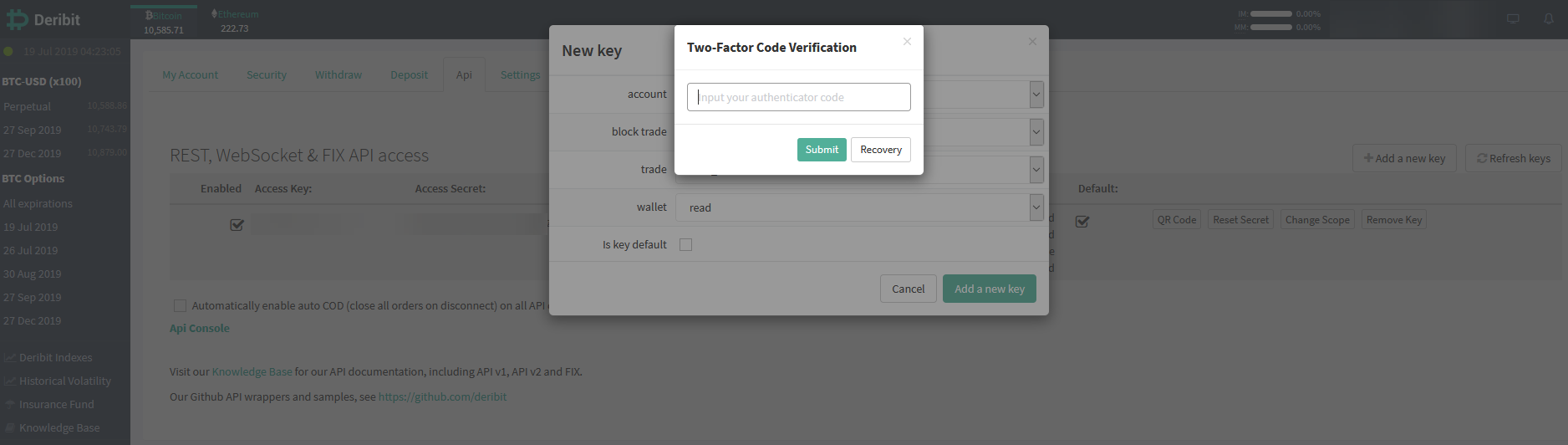
Enter your 2FA code.

Two-factor authentication dialog for Deribit cryptocurrency exchange account access and trade permissions.

You can now copy the Access Key and Access Secret into HaasOnline TradeServer in the Exchange Accounts page.
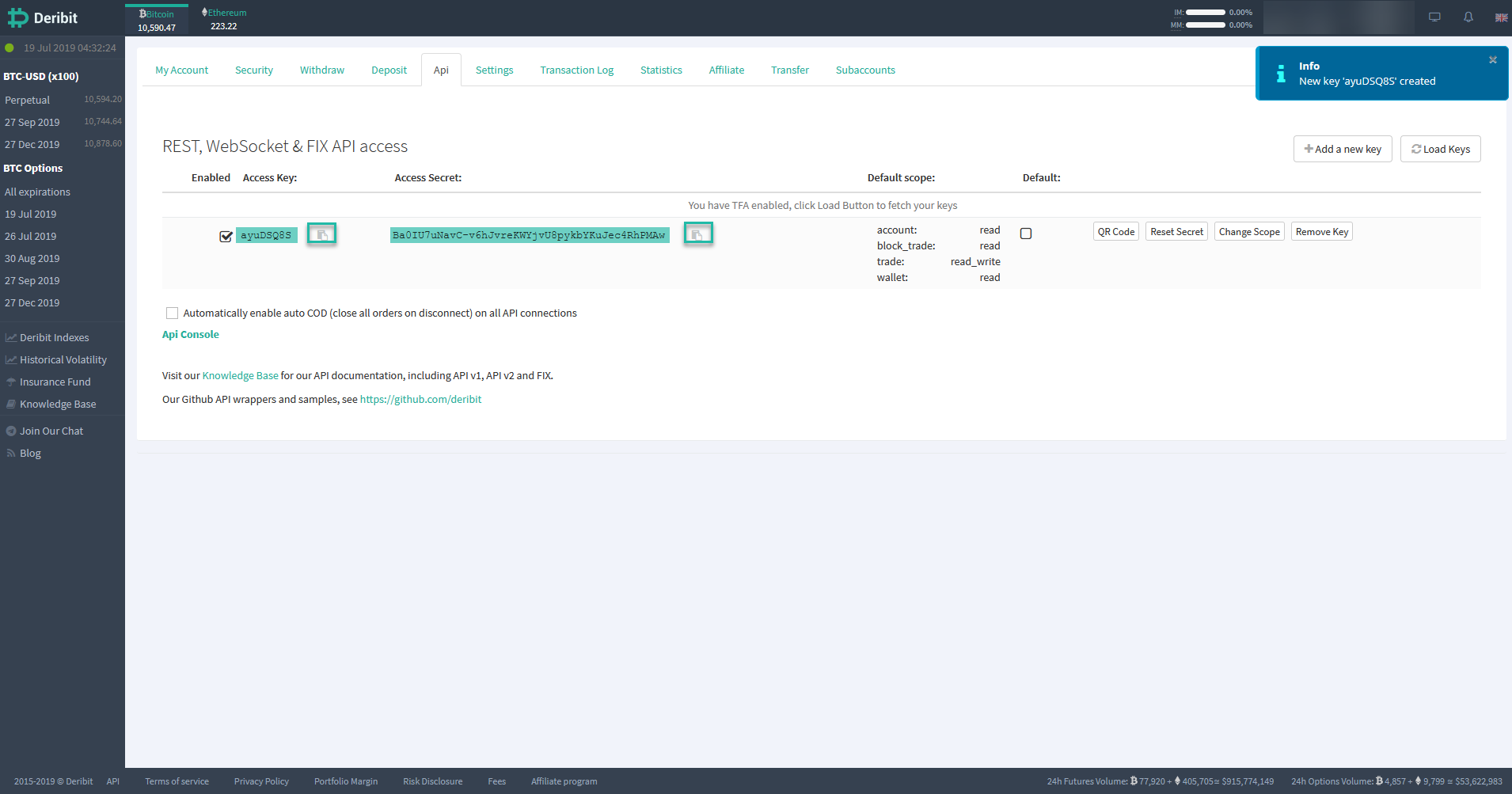
Deribit cryptocurrency exchange platform API access settings with REST, WebSocket, and FIX API keys and access secrets.