Skip to content

❌ Ionomy

Obtaining the API

Log in to the Ionomy website and select the Account menu

Ionomy cryptocurrency trading platform dashboard showing navigation menu with Wallets, Markets, Hosting, Games, and Account sections.

To add a new API key click on the plus symbol next to the API menu option
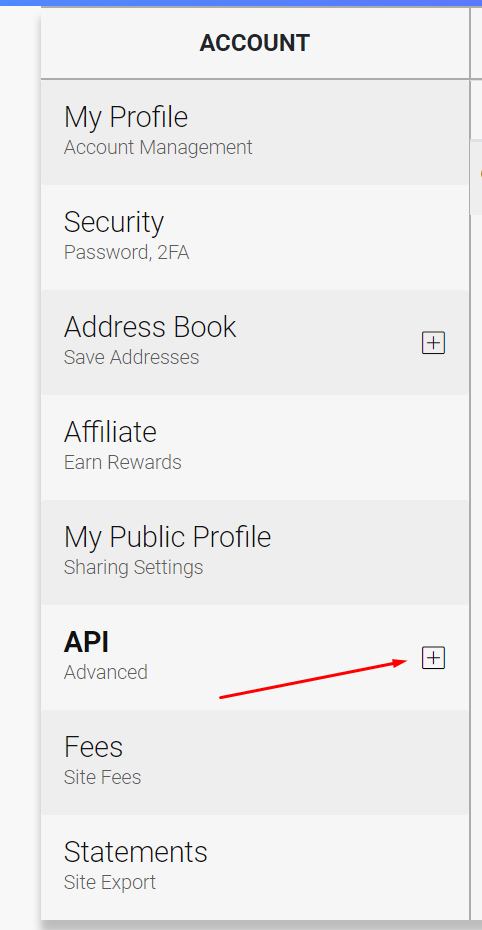
HaasOnline account management page with sections for profile, security, address book, affiliate, public profile, API, fees, and statements.

Insert your password and click the Create button
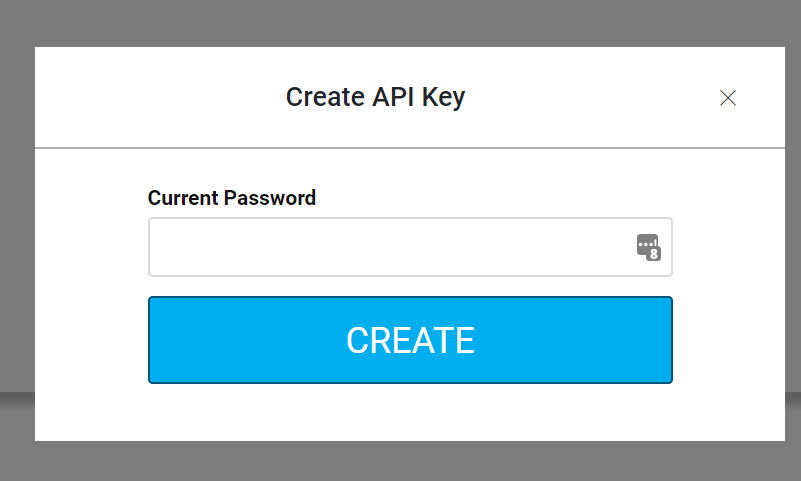
UI dialog for creating an API key on the HaasOnline cryptocurrency trading platform, with a "Current Password" input field and a prominent "CREATE" button.

Save the Key data to be used with HaasOnline TradeServer and turn on the Read and Trade options next to the API Key as shown in the example below.

Cryptocurrency trading platform HaasOnline documentation interface with ON/OFF toggles and blockchain hash values.

Now, all that is needed is to add the API Key and Secret data to the HaasOnline TradeServer in the Exchange Accounts page.