Kraken
Obtaining the API 
To get the API keys for your Kraken account, you need to log in and click on Settings and then click on API
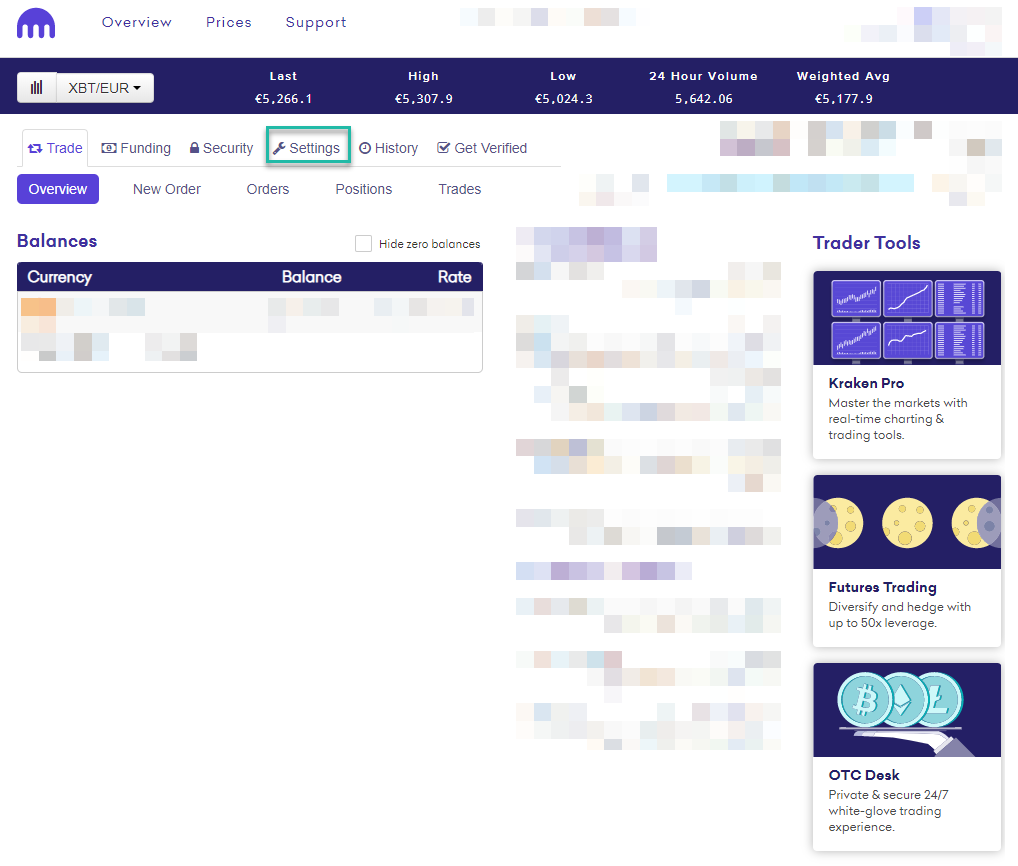
Click on Generate New Key

Fill in Key Description and select the options highlighted and once that is done, click on Generate Key
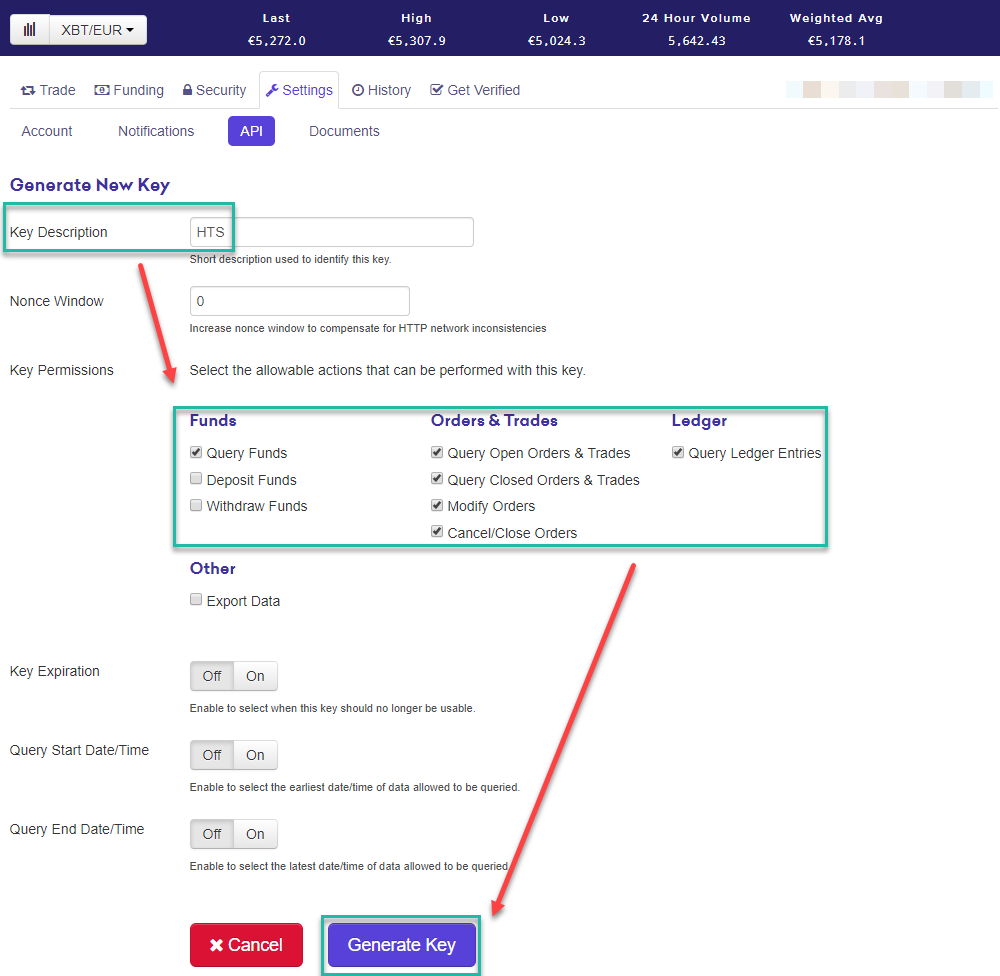
The key will be generated without any further confirmation
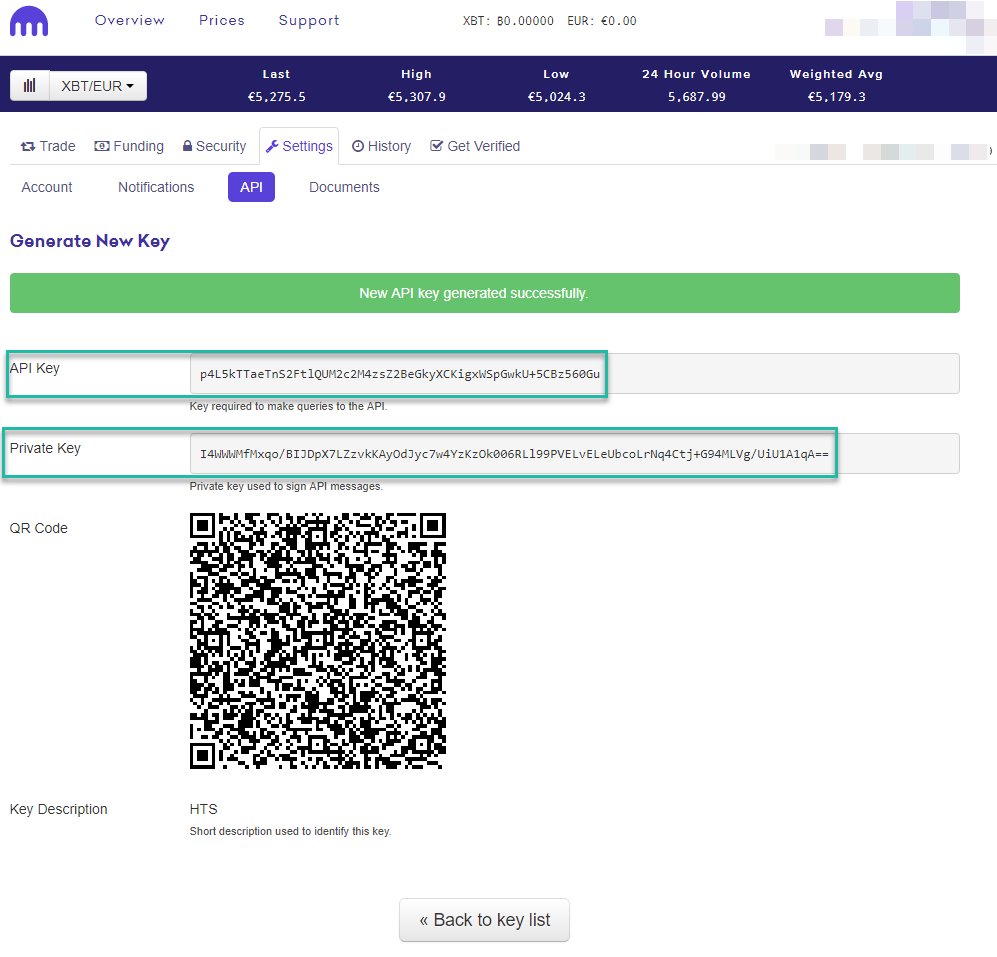
Now you can just copy the API Key and Private Key into HaasOnline TradeServer in the Exchange Accounts page.