Poloniex Futures
Obtaining the API Key
Danger
Do NOT use the same API key that you have created for other services.
When configuring IP restrictions:
- If you are running an Enterprise license, use the IP address of your machine/server
- If you are trading on HaasOnline Cloud, enter the IP address shown in the HaasOnline UI during exchange account setup
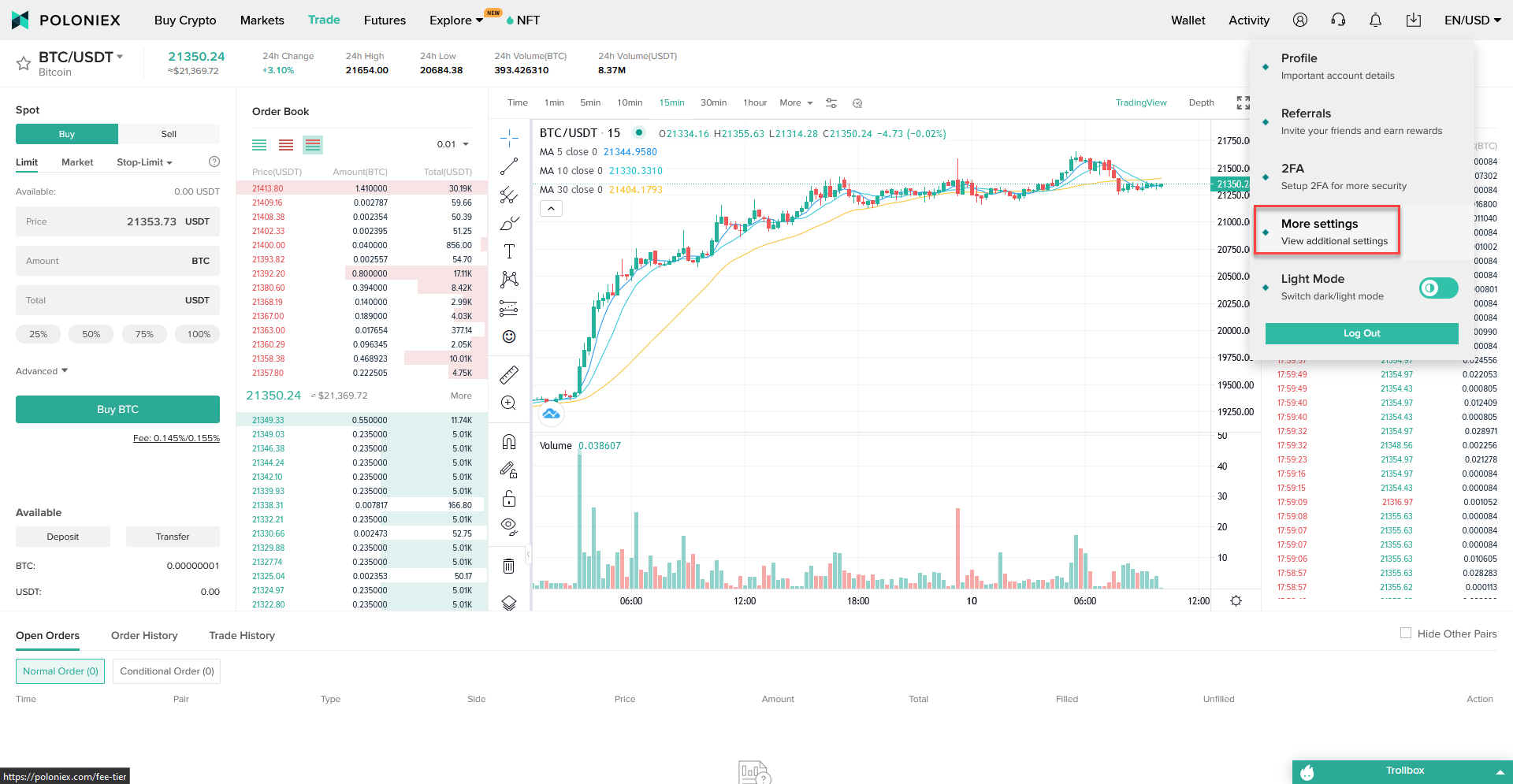
- Log in to Poloniex
- Click on
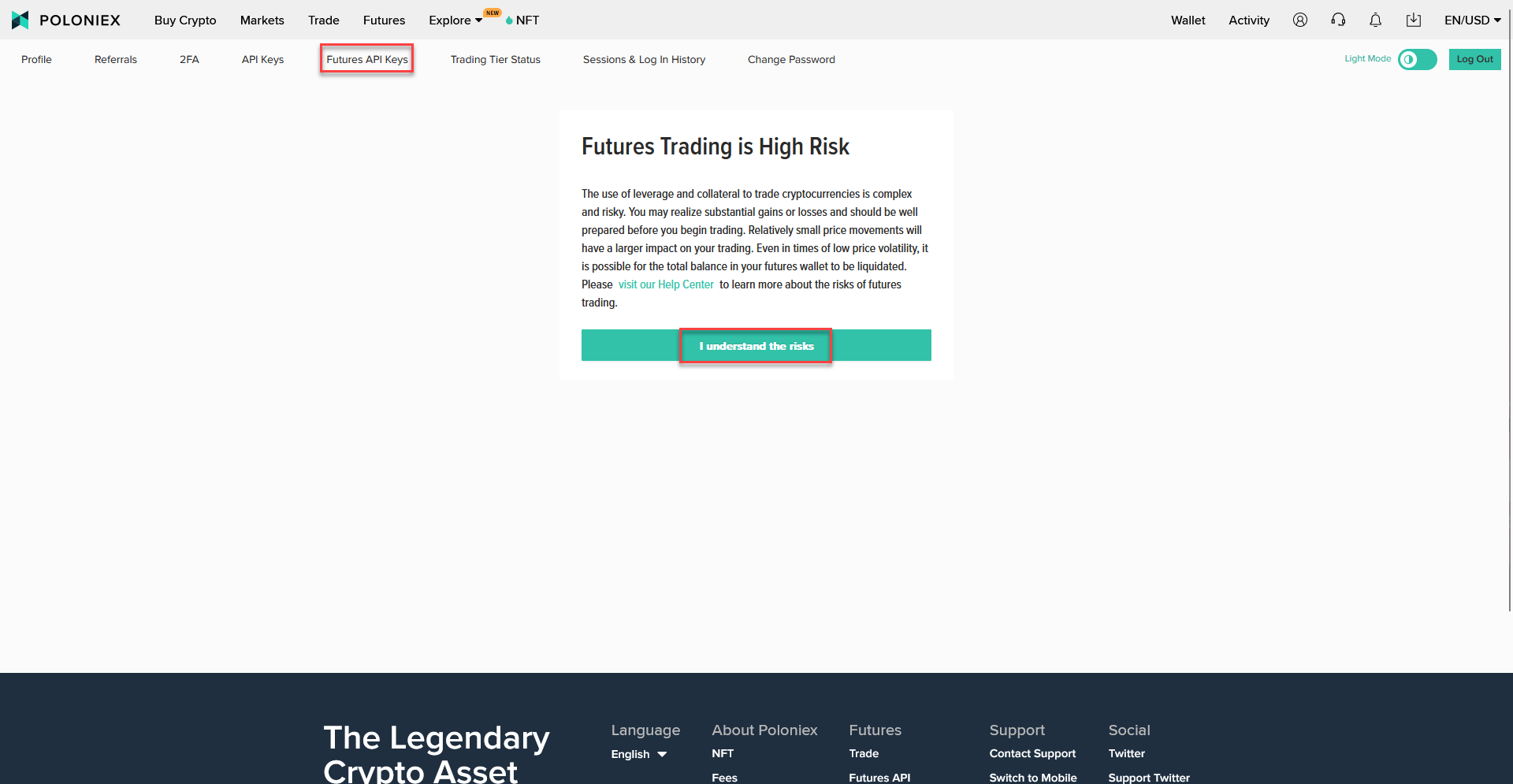
More Settings - Click on
Futures API Keys - If this is your first time enabling Futures Trading on Poloniex, click on
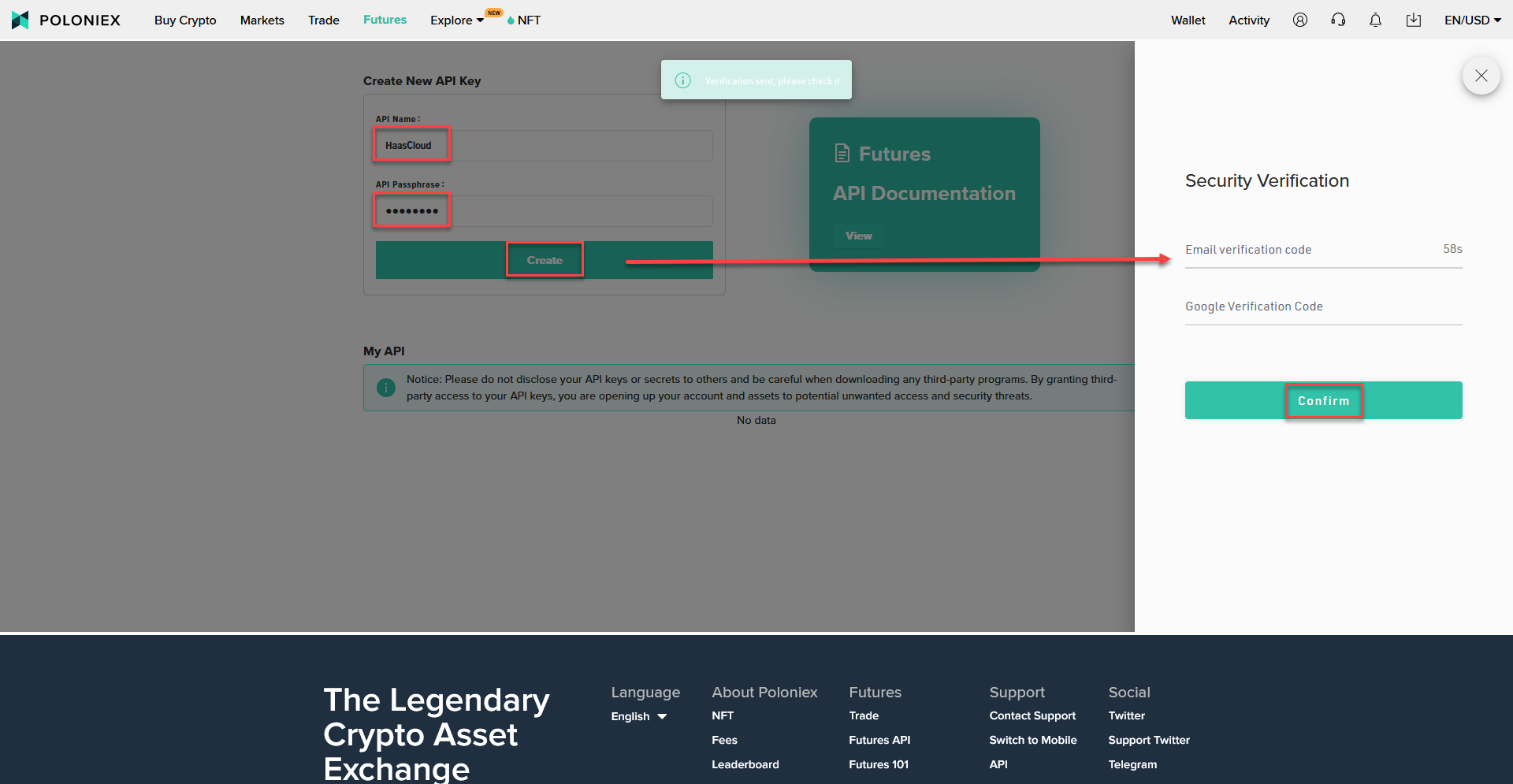
I understand the risksto be able to proceed - Enter the
API NameandAPI Passphraseand then click onCreate - A slideout will appear that asks you to request for the email verification code as well as your 2FA code. Enter them both and then click on
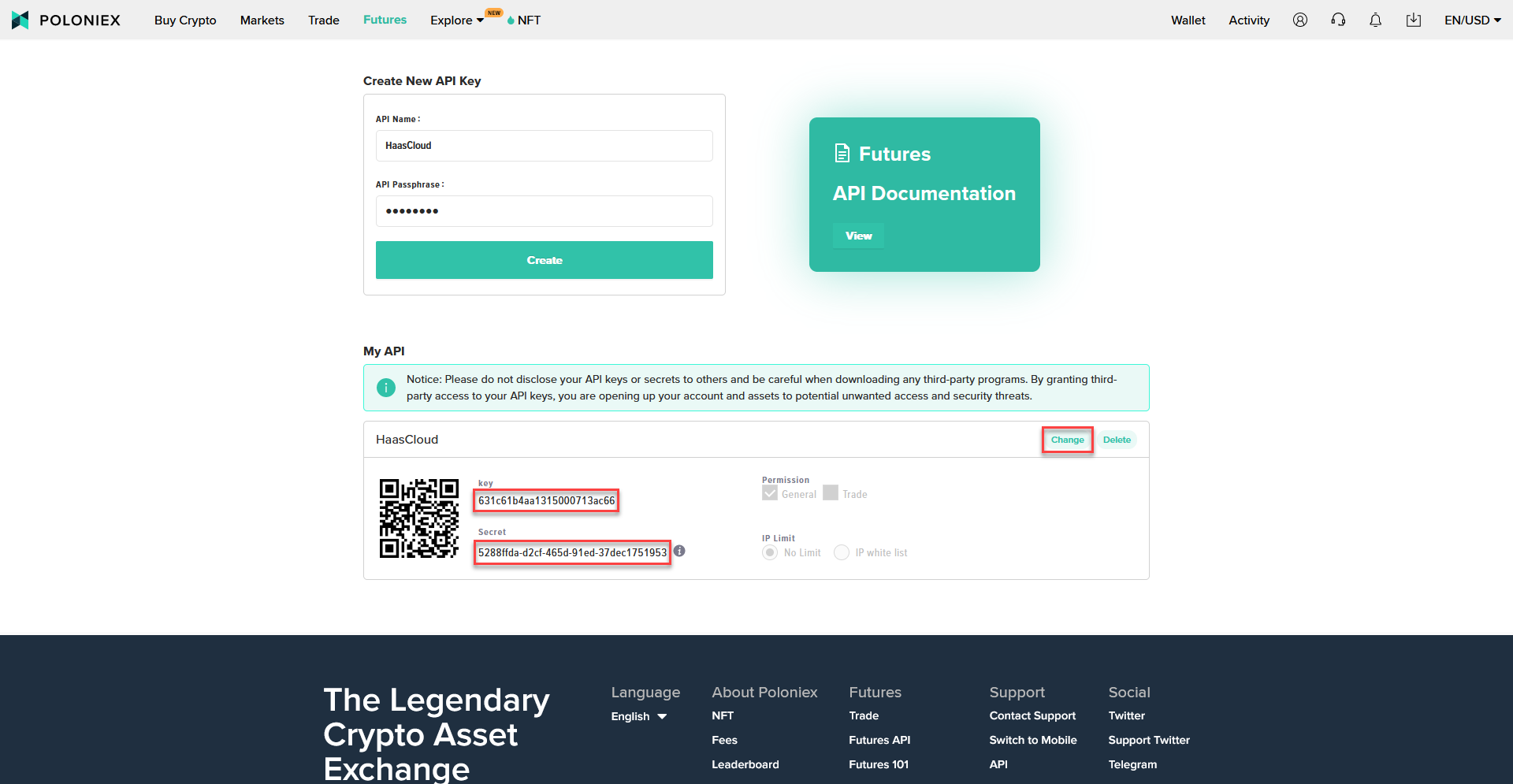
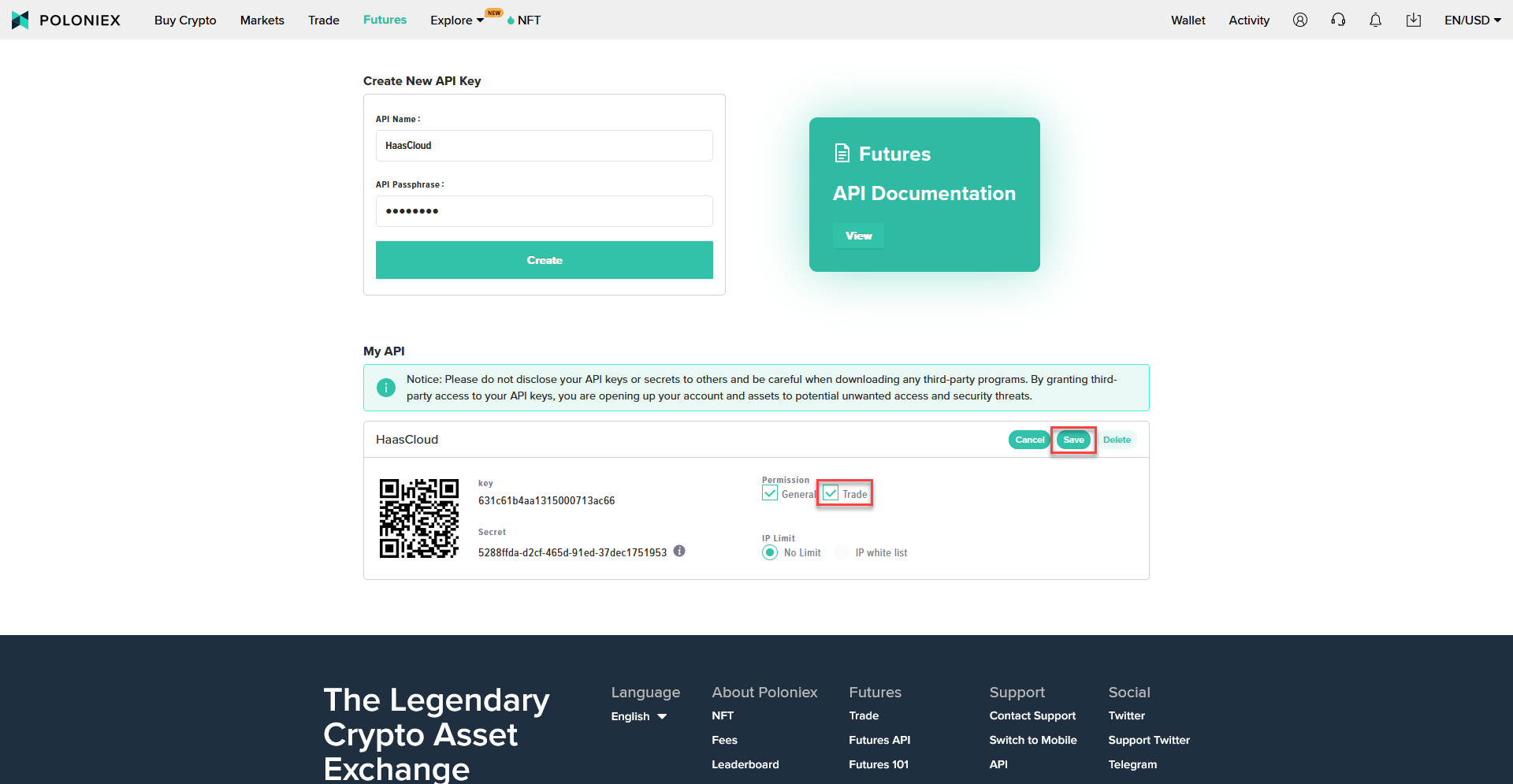
Confirm - The page will refresh and then show you your new API Key
- It is recommended that you copy and paste the
keyandSecretshown to a text file as they will disappear after we complete the next few steps - Click on
Change - Click on the box beside Trade to enable it
- This is the very last chance for you to copy and paste your
keyandSecretto a text file beforeSecretis not shown ever again. - Click
Save