MCP Server
TradeServer includes a built-in Model Context Protocol (MCP) server that exposes its full trading API as structured tools consumable by AI agents and large language models (LLMs).
This allows you to connect any MCP-compatible AI client — such as Claude, Cursor, or a custom agent — directly to your TradeServer instance and automate tasks using natural language or programmatic tool calls.
What is MCP?
Model Context Protocol is an open standard for connecting AI systems to external data sources and tools. Instead of building custom integrations for each AI client, TradeServer exposes a single MCP endpoint that any compliant client can discover and call.
With MCP, an AI agent can:
- List and manage your trading bots
- Create, edit, and compile HaasScripts
- Run backtests and retrieve results
- Execute and monitor Labs (parameter optimization)
- Query wallet balances and portfolio values
- Check market data availability
Endpoints
The MCP server is hosted on the same REST server as the regular TradeServer API.
| Endpoint | Method | Description |
|---|---|---|
/mcp |
POST |
JSON-RPC 2.0 endpoint — spec-compliant MCP interface |
/mcp/tools |
GET |
Returns a human-readable list of all available tools |
/mcp/execute |
POST |
Simplified execute endpoint — accepts {"name": "...", "args": {...}} |
JSON-RPC 2.0 example
POST /mcp
Content-Type: application/json
Authorization: Bearer <your-api-key>

{
  "jsonrpc": "2.0",
  "id": 1,
  "method": "tools/call",
  "params": {
    "name": "list_bots",
    "arguments": {}
  }
}
Direct execute example
POST /mcp/execute
Content-Type: application/json
Authorization: Bearer <your-api-key>

{
  "name": "get_bot",
  "args": {
    "botid": "abc123"
  }
}
Setup
1. Open MCP Settings
In the TradeServer interface, open the Menu (top right) → Settings → MCP (AI Agent Access).
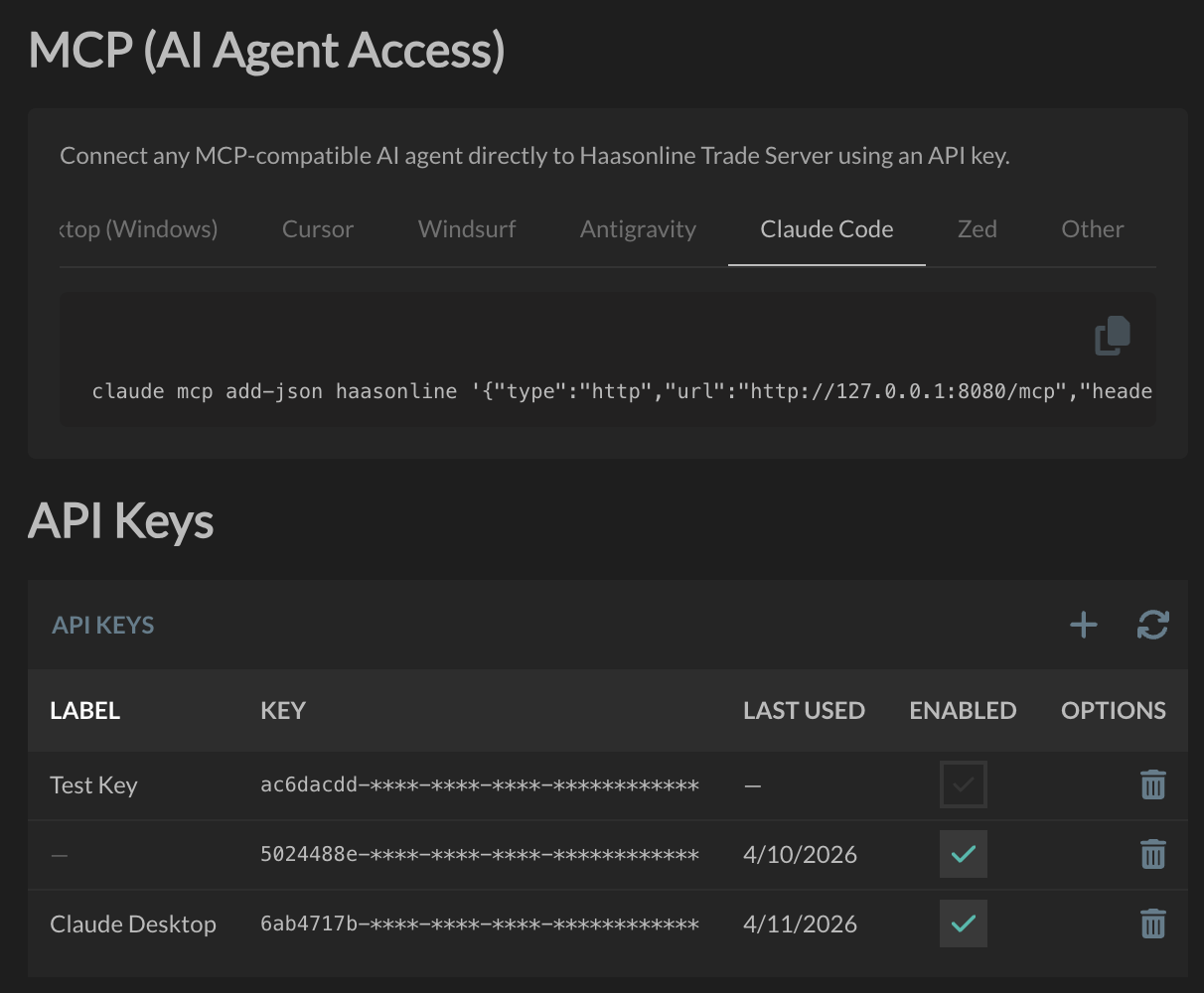
2. Create an API Key
In the API Keys section, click the + button to generate a new key. Give it a descriptive label (e.g. Claude Desktop) so you can identify it later.
Your key is displayed as a UUID — copy it now, as it will be partially masked after you leave the page.
Warning
Keep your API key secret. Anyone with the key has full access to your bots, scripts, and exchange accounts via the MCP interface.
3. Connect Your AI Client
The settings page includes ready-to-use config snippets for Claude Code, Cursor, Windsurf, Zed, and others. Select your client from the tabs at the top of the MCP settings page, copy the snippet shown, and paste it into your terminal or client config file.
Info
If TradeServer is not running on the same machine as your AI client, replace 127.0.0.1:8080 in the snippet with your server's hostname or IP address and the configured port.
Authentication
All MCP requests require a valid API key passed as a Bearer token in the Authorization header:
Protocol Details
| Property | Value |
|---|---|
| Protocol version | 2025-11-25 |
| Server name | HaasOnline Trade Server |
| Server version | 1.0.0 |
| Transport | HTTP (JSON-RPC 2.0) |
Available Tools
The MCP server exposes 47 tools across six functional areas:
| Category | Tools |
|---|---|
| System | 1 |
| HaasScript Management | 6 |
| Backtest Execution | 9 |
| Trading Bots | 8 |
| Labs (Parameter Optimization) | 10 |
| Markets & Price Data | 3 |
| Wallet & Portfolio | 4 |
See the Tools Reference for the complete list with parameters and descriptions.