Linux
Managed Hosting Available
Don't want to manage your own infrastructure? We offer managed hosting plans! If you already have an Enterprise license, you can add a managed hosting solution.
Installation procedure
- Log in to https://haasonline.com/account/downloads to access the self-guided installer for Linux.
- You will be provided with a command to install TradeServer Enterprise. Simply copy and run the command in your terminal.
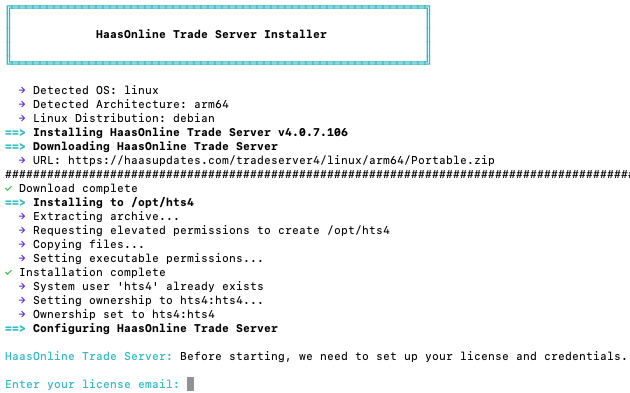
- The installer will automatically download and install TradeServer Enterprise, prompting you for your license email and credentials during the setup process.
- Once the installation is complete, open your browser and navigate to
http://127.0.0.1:8090/to access the interface (if you haven't configured a custom domain or SSL certificate). - After logging in, go to the upper right menu and select
Price history statusto define what markets you will be using and how much price data you would like to download (max 36 months).