Scripted bot building
Creating your first scripted bot
In this small tutorial, we're going to show you how you can create a very basic scripted bot.
Step 1: Creating a scripted bot
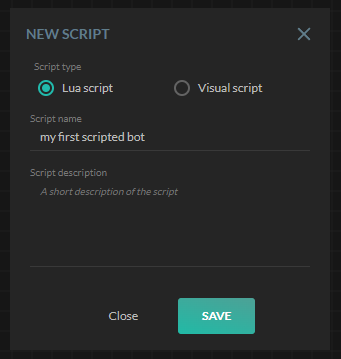
To create a scripted bot, you need to go to the left menu and select the "Web-editor". Once selected, a new page will show up. On top of this page you'll find a toolbar - click on the leftmost icon to create a new script. If all goes well, you'll see a window on your screen asking you what sort of script you want to create. Select script and give the script a name.
Step 2: Scripting the bot
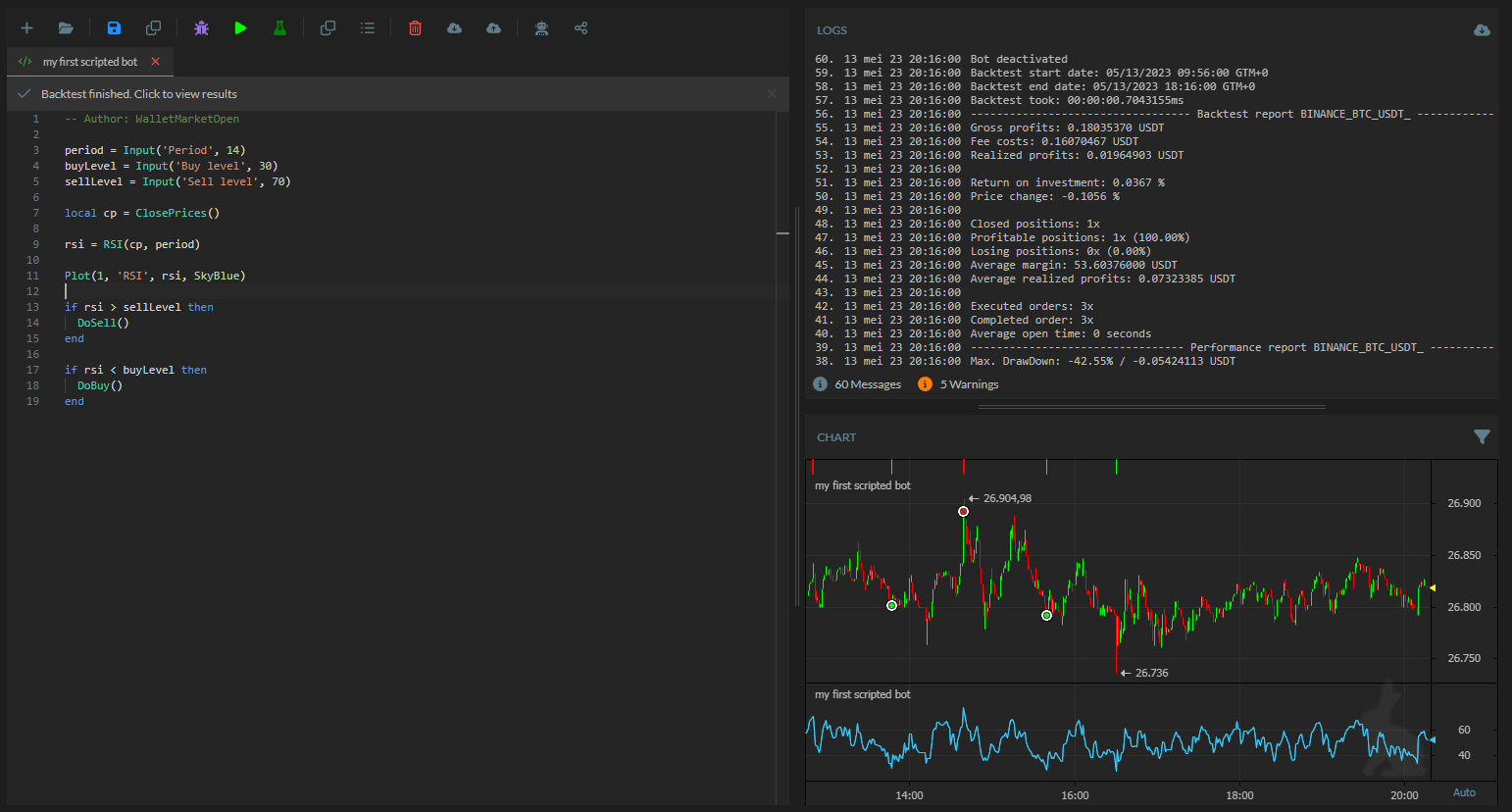
In this case, we are going to make a scripted RSI bot.
Let's think what we need to make an RSI bot...
First, we of course need the RSI indicator. This RSI indicator needs to be set up with 2 variables: the prices and the period. You can use the ClosePrices() command to get the close prices and we can give this to the RSI. As for the period, let's create an input field for this using the Input() command.
We want to see the RSI, so we need to plot to the chart. This can be done using the Plot() command. The Plot commands asks us to give it a chart index, a line name, the data, and optionally the color.
And, we need some trade logic. This can be created by some simple if..else statements where the managed trading commands DoBuy() and DoSell() get used.
Info
TIP: When scripting, pay attention to the intelli-text, which will show when typing.
If we convert this to a haasscript then we get;
-- Input fields
local period = Input('Period', 14)
local buyLevel = Input('Buy level', 30)
local sellLevel = Input('Sell level', 70)

-- Getting required data
local cp = ClosePrices()

-- Calculations
local rsi = RSI(cp, period)

-- Plotting
Plot(1, 'RSI', rsi, SkyBlue)

-- Trading logic
if rsi > sellLevel then
  DoSell()
end

if rsi < buyLevel then
  DoBuy()
end
This example is enough to get a simple scripted RSI bot running.
Adding insurances
Just like in trade-bots, you can script your own insurances too.
For example, suppose we want to add a way to "never sell cheaper then we have bought". Well, that would result in a script like this:
-- Input fields
local period = Input('Period', 14)
local buyLevel = Input('Buy level', 30)
local sellLevel = Input('Sell level', 70)

-- Getting required data
local cp = ClosePrices()
local lastBuyPrice = LastLongPrice() -- On spot this returns the last buying price
local priceNow = CurrentPrice().close

-- Calculations
local rsi = RSI(cp, period)

-- Plotting
Plot(1, 'RSI', rsi, SkyBlue)

-- Trading logic
if rsi > sellLevel then
  if priceNow > lastBuyPrice then -- This makes sure we never sell cheaper then we bought
    DoSell()
  end
end

if rsi < buyLevel then
  DoBuy()
end
Adding safeties
Again, just like in trade-bots, you can script your own safeties too.
For example, suppose we want to add a basic stop-loss. Well, that would result in a script like this:
-- Input fields
period = Input('Period', 14)
buyLevel = Input('Buy level', 30)
sellLevel = Input('Sell level', 70)
stopLoss = Input('Stoploss', 5)

-- Getting required data
local cp = ClosePrices()
local profitsNow = GetCurrentROI()

-- Calculations
rsi = RSI(cp, period)

-- Plotting
Plot(1, 'RSI', rsi, SkyBlue)

-- Trading logic
if rsi > sellLevel then
    DoSell()
end

if profitsNow < -stopLoss then -- The stop-loss
  DoSell()
else
  if rsi < buyLevel then
    DoBuy()
  end
end