HTX
HaasOnline connects to HTX (spot), HTX COIN Swaps and HTX USDT Swaps. HTX was called Huobi until 2023, and HaasScript still uses its old code in market names (for example HUOBI_BTC_USDT_). The key needs the Trade permission, and it should be linked to HaasOnline's IP addresses: HTX deactivates a trading key that isn't linked to an IP after 90 days without use.
If you don't have an HTX account yet, sign up at HTX.
Obtaining the API Key
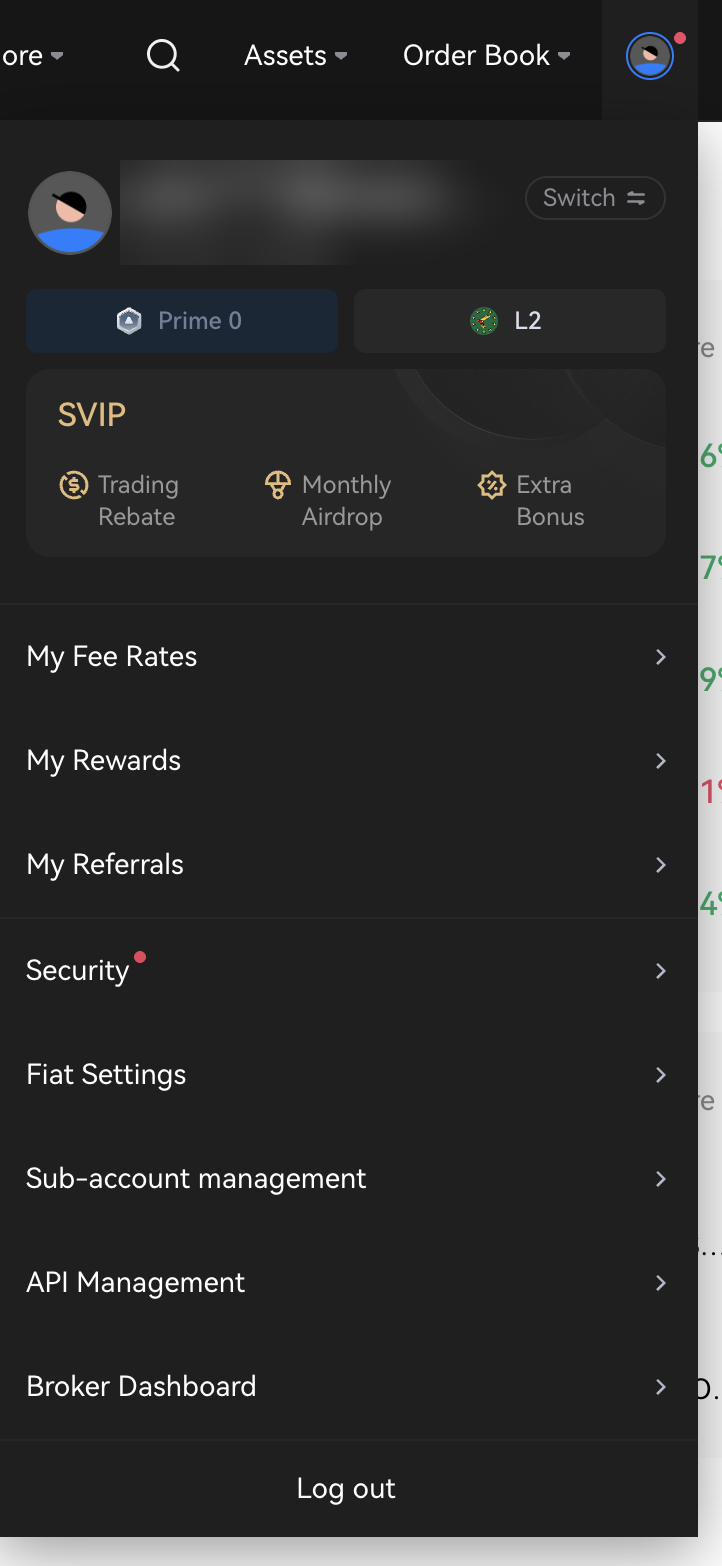
Log in to HTX, open the account menu at the top right and click API Management.
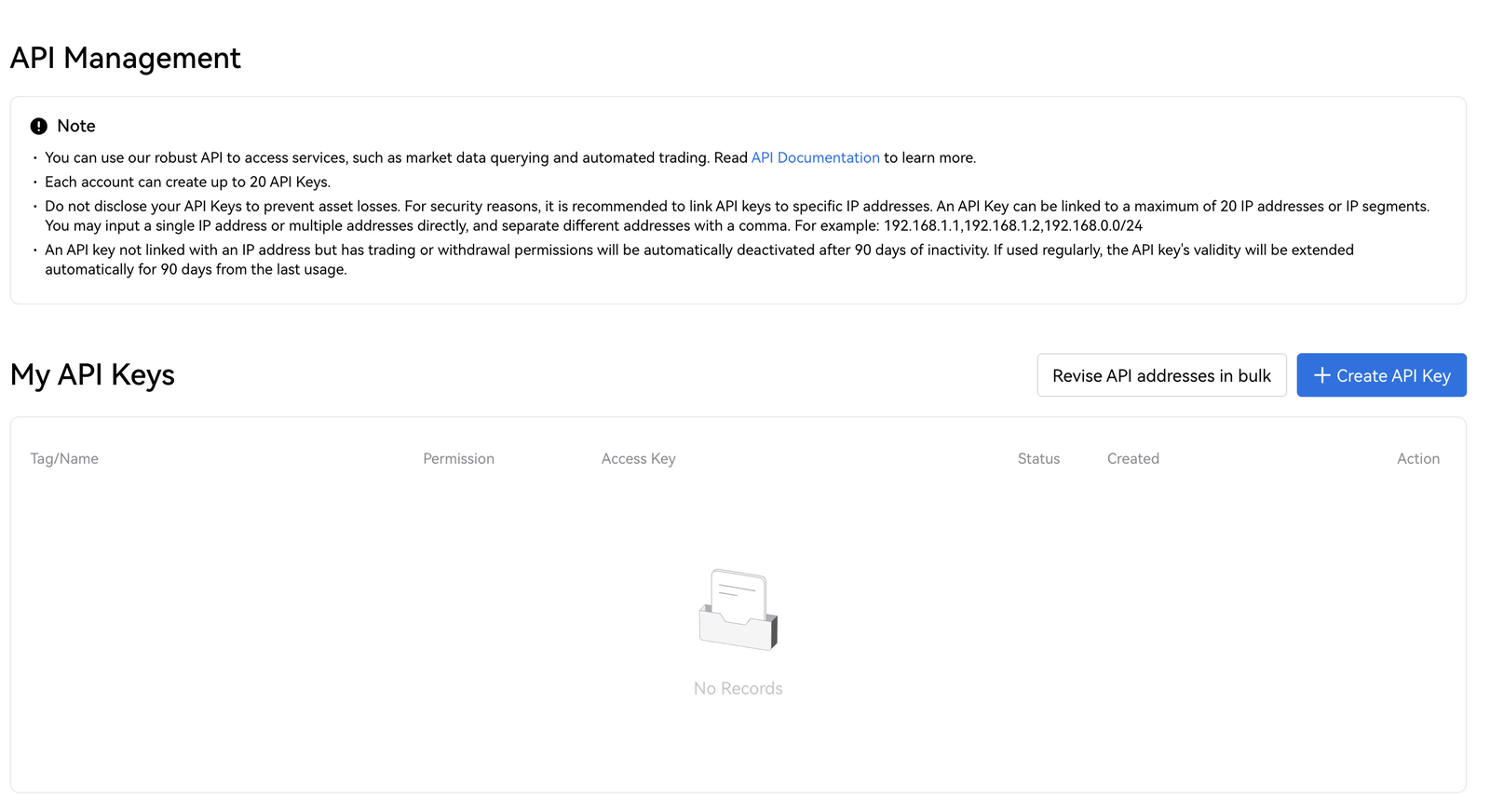
Under My API Keys, click Create API Key.
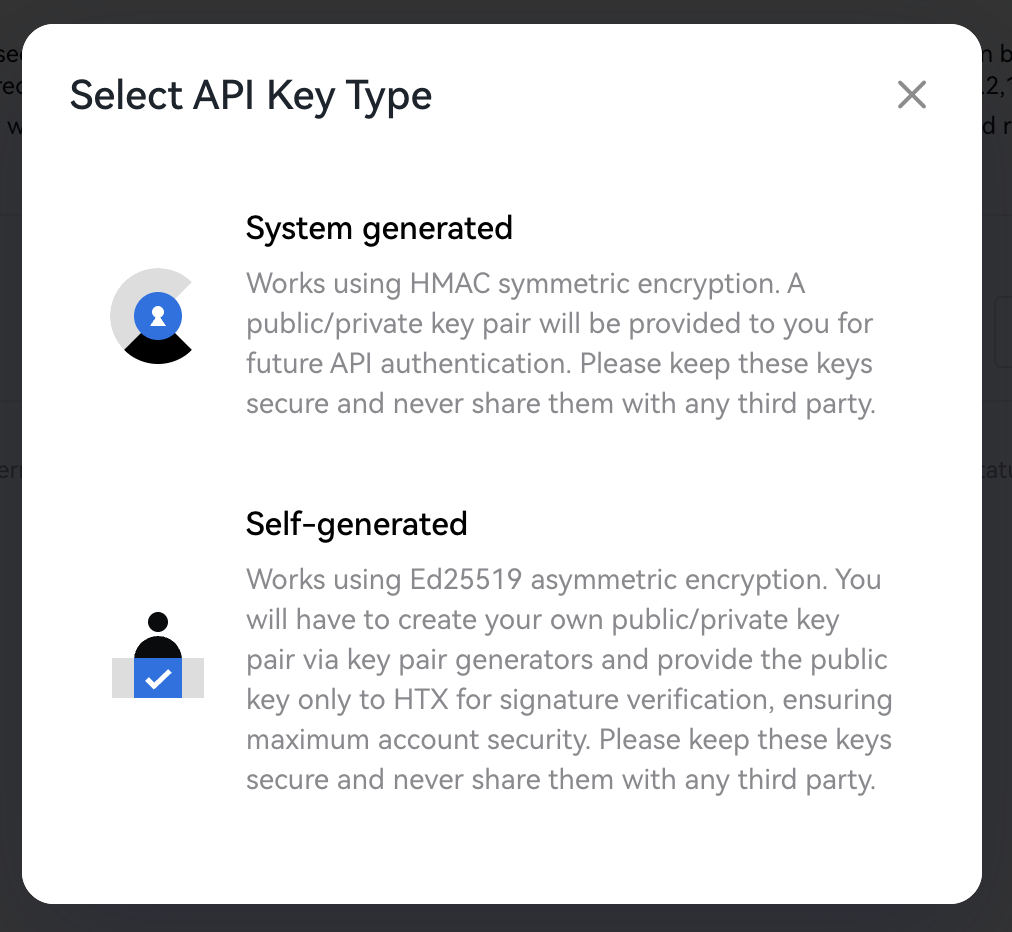
HTX asks which type of key to create. Choose System generated. HaasOnline signs its requests with HMAC, which is what this type uses; a Self-generated (Ed25519) key does not work with HaasOnline.
Configure the key
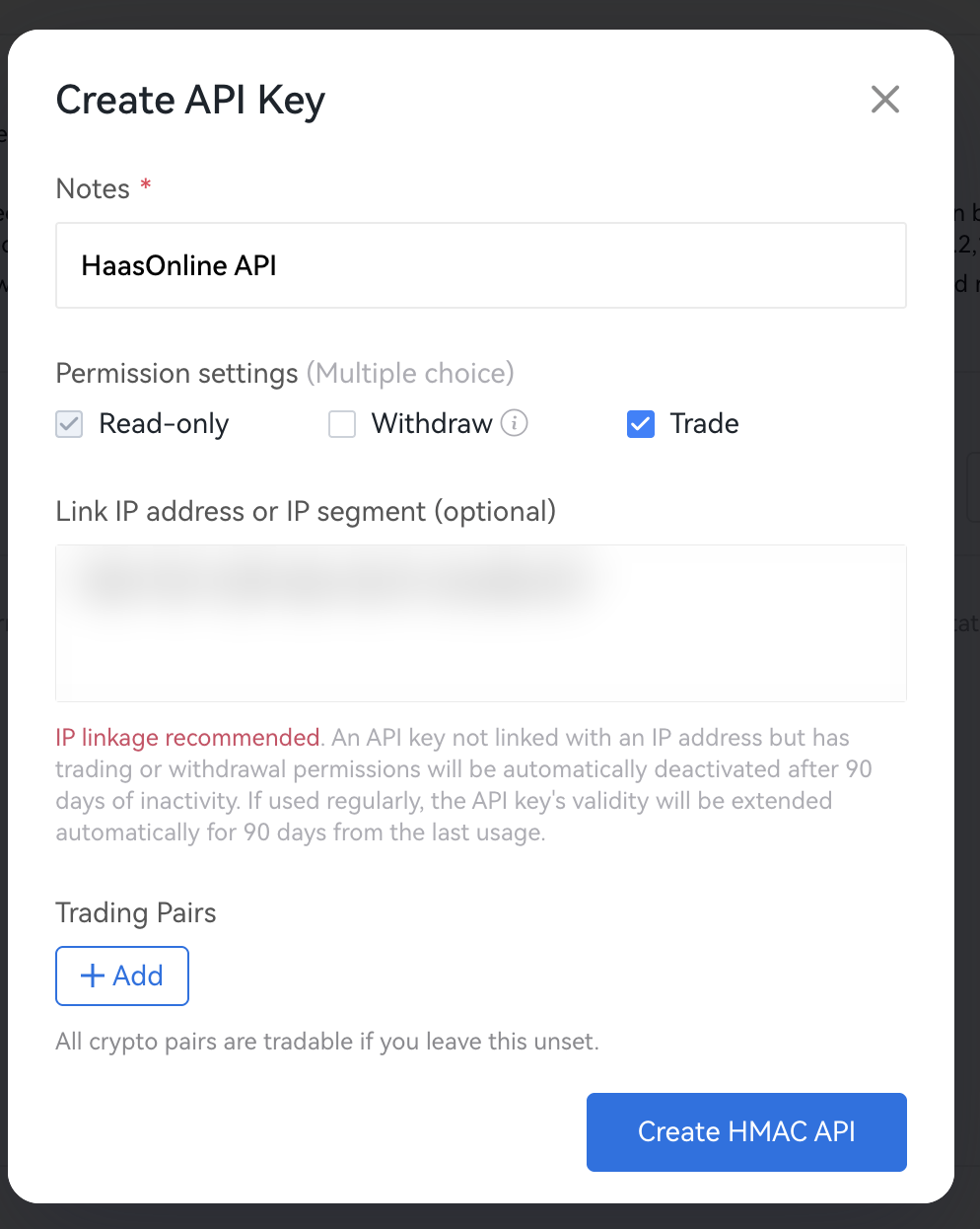
Fill in the Create API Key form:
- Notes: any name that identifies the key (for example
HaasOnline API). - Permission settings: tick Trade. Read-only is always on. Leave Withdraw unticked.
- Link IP address or IP segment: paste the IP addresses shown in HaasOnline (or your server's IP on a self-hosted license, see below), separated by commas.
- Trading Pairs: leave it unset, so the key can trade every pair. If you add pairs here, HaasOnline can only trade those.
Danger
Do not tick Withdraw. HaasOnline never needs it to trade for you, and a trading-only key limits what a leaked key could do.
Info
For the IP link:
- On HaasOnline TradeServer Cloud, paste the addresses shown under IP addresses to whitelist in the HaasOnline account setup form (use its copy icon).
- On a self-hosted TradeServer license, use the public IP address of your machine or server.
Click Create HMAC API.
Confirm and verify
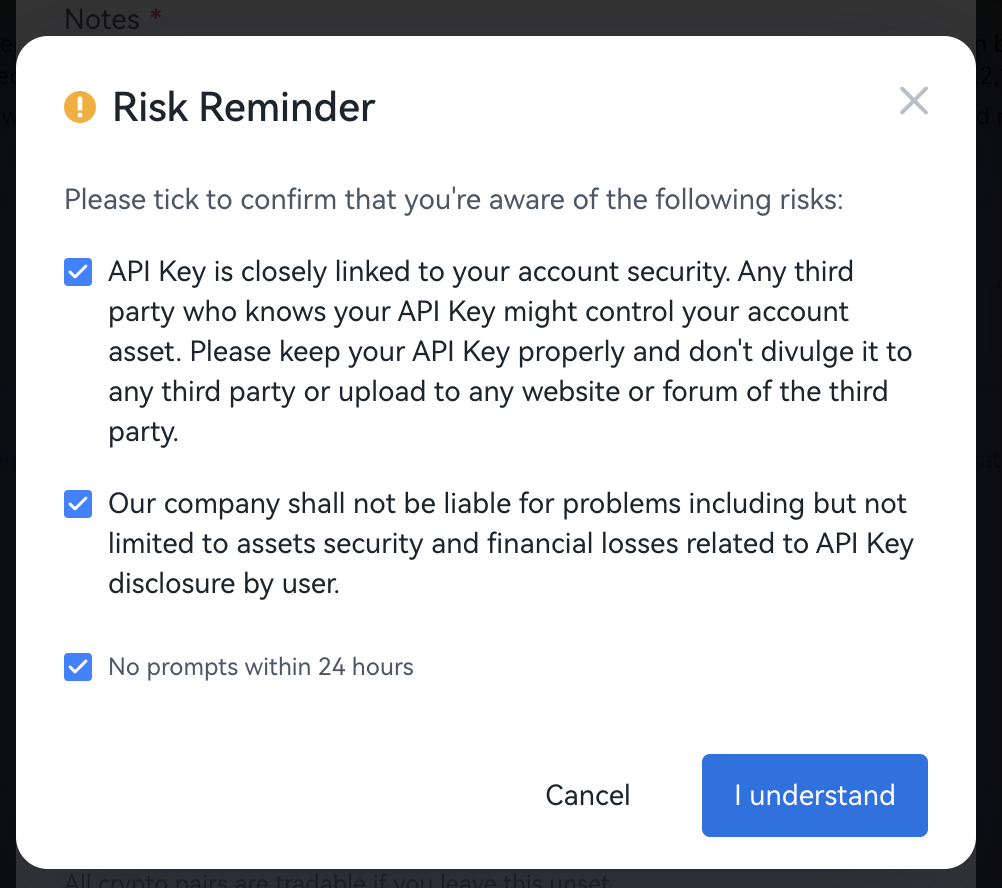
HTX shows a Risk Reminder. Tick the boxes and click I understand.
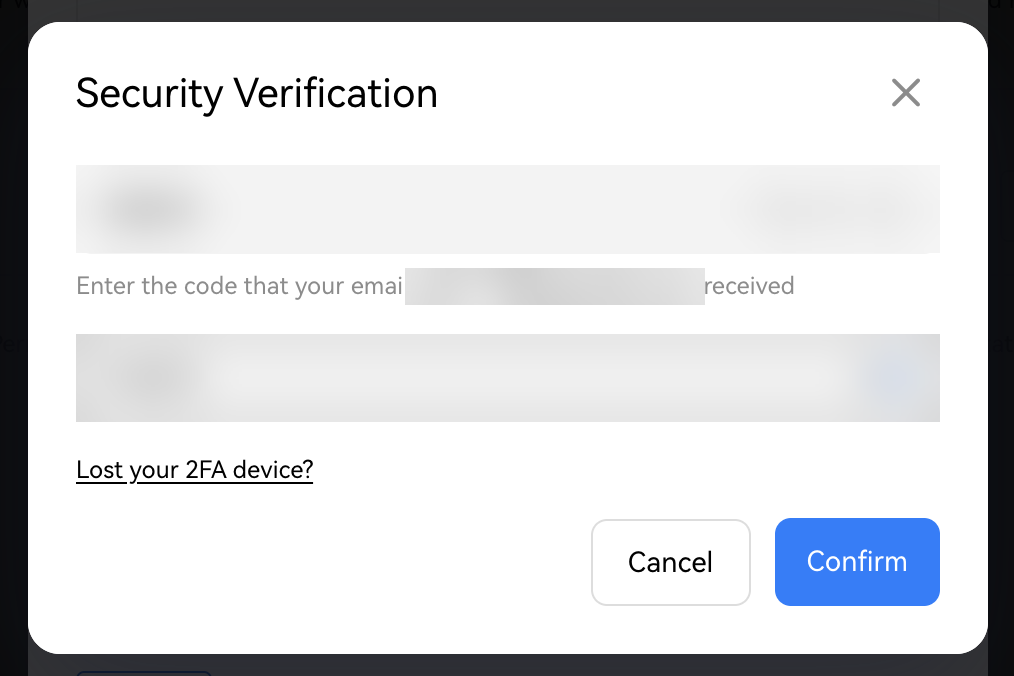
In Security Verification, enter the code HTX emails you and the code from your 2FA app, then click Confirm.
Copy the keys
Successfully Create shows the new key:
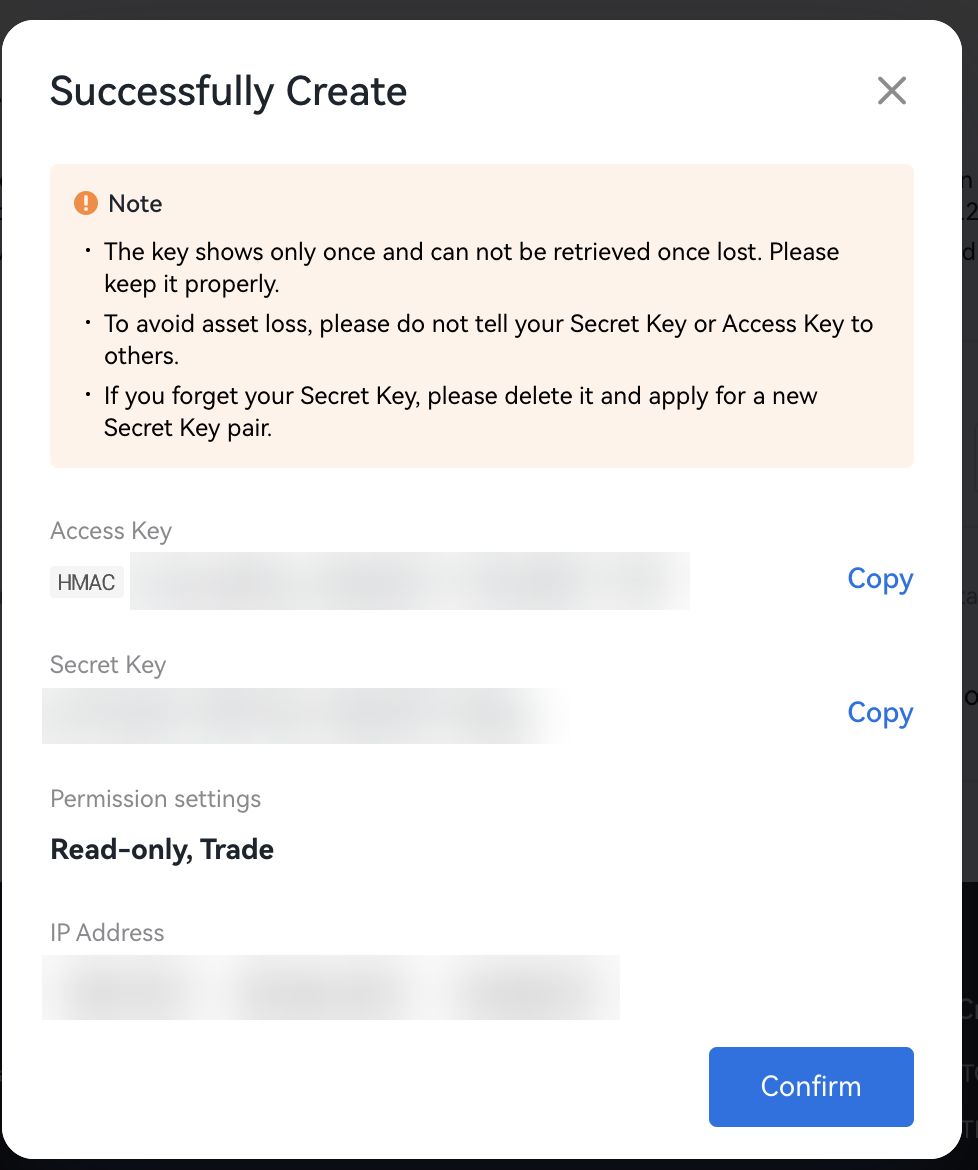
- Access Key: goes in the HaasOnline Access key field.
- Secret Key: goes in the HaasOnline Secret key field.
Danger
Copy both now. HTX shows the key only once. If you lose the Secret Key, delete the key and create a new one.
Adding the API to HaasOnline TradeServer Cloud
Log in to HaasOnline TradeServer Cloud and open Exchange Accounts from the user menu in the top right. The Adding an API to the Platform guide shows these first steps with screenshots.
- Click the + button at the bottom of the accounts list (on an empty page it reads Add account)
- Select Exchange account
- In Connect an exchange account, click HTX
-
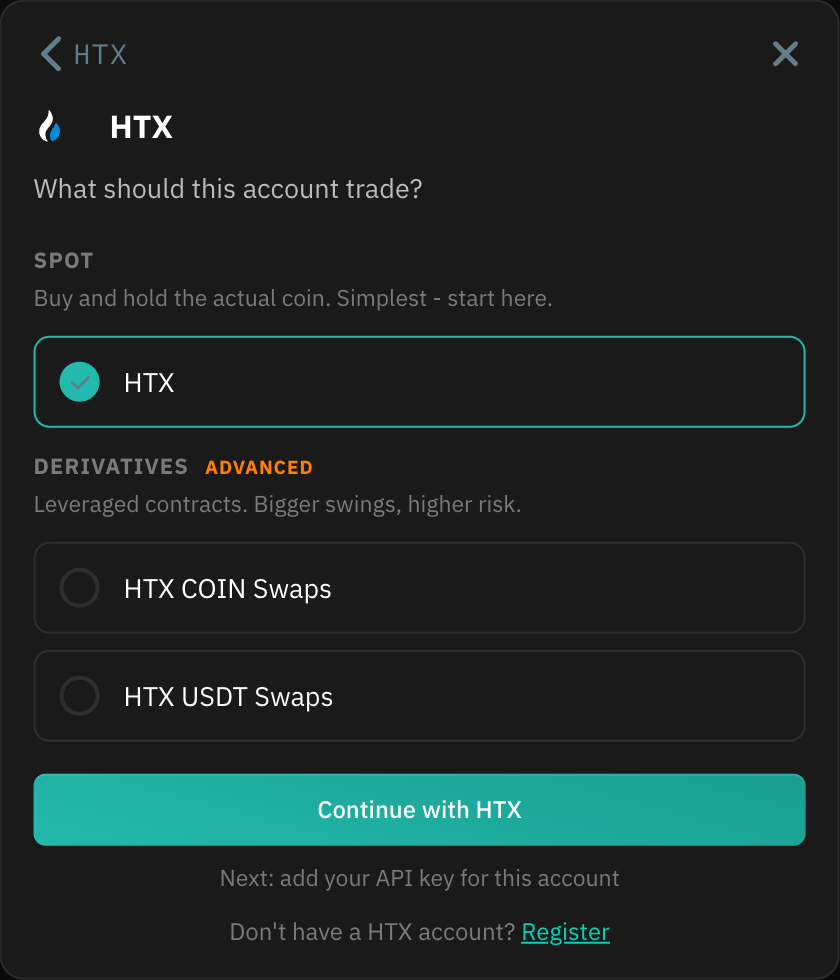
Under What should this account trade?, choose HTX for spot trading, or HTX COIN Swaps or HTX USDT Swaps under Derivatives, then click Continue with .... Each market is its own HaasOnline account, so repeat these steps with the same key to add another market.
-
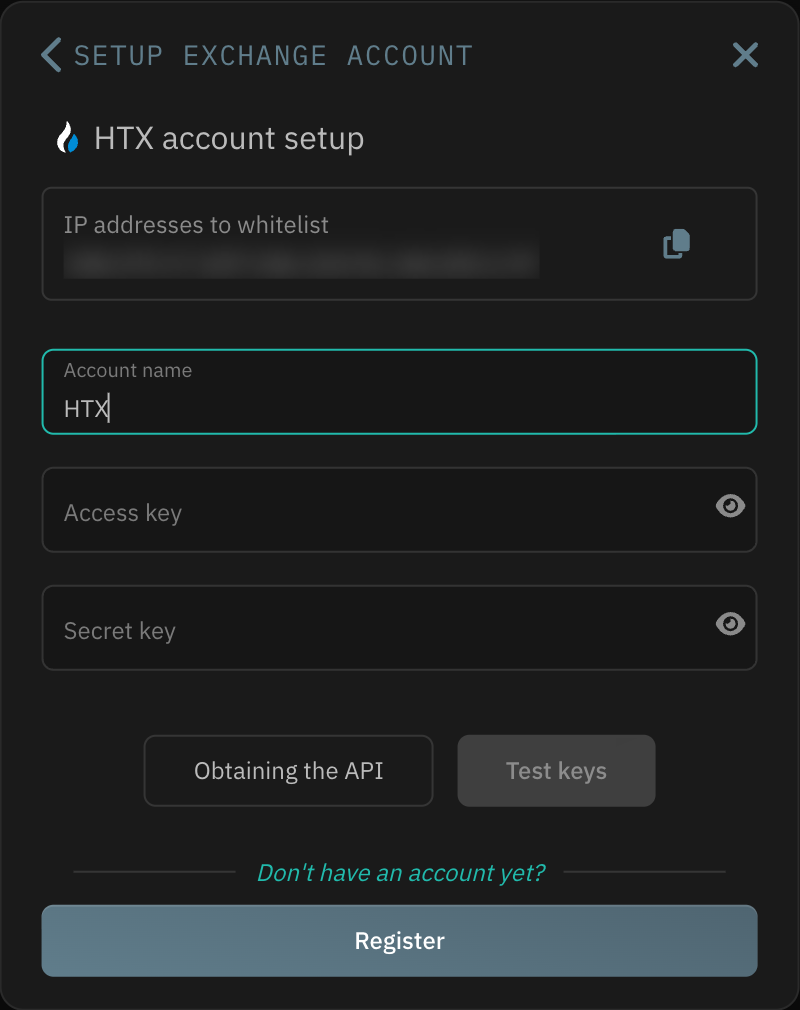
Enter an Account name, then paste the values from HTX:
- Access key → the HTX
Access Key - Secret key → the HTX
Secret Key
Info
Check for spaces at the start and end of each value after you paste it. Stray spaces are a common cause of a failed key test.
- Access key → the HTX
-
Click Test keys. When the test passes, click Save account
If the test fails, check that Trade is ticked and that the linked IP addresses match the ones shown in HaasOnline. For the swap markets, also make sure futures trading is open on your HTX account. If it still fails, contact Support.