Price alerts
A price alert tells you when price crosses a level you picked on the chart: a price, a horizontal line, a trend line, or the entry of a long or short you planned with the drawing tools. The alert keeps watching on our servers, so you're told even when the app is closed.
Alerts only notify. They never place an order or touch a bot.
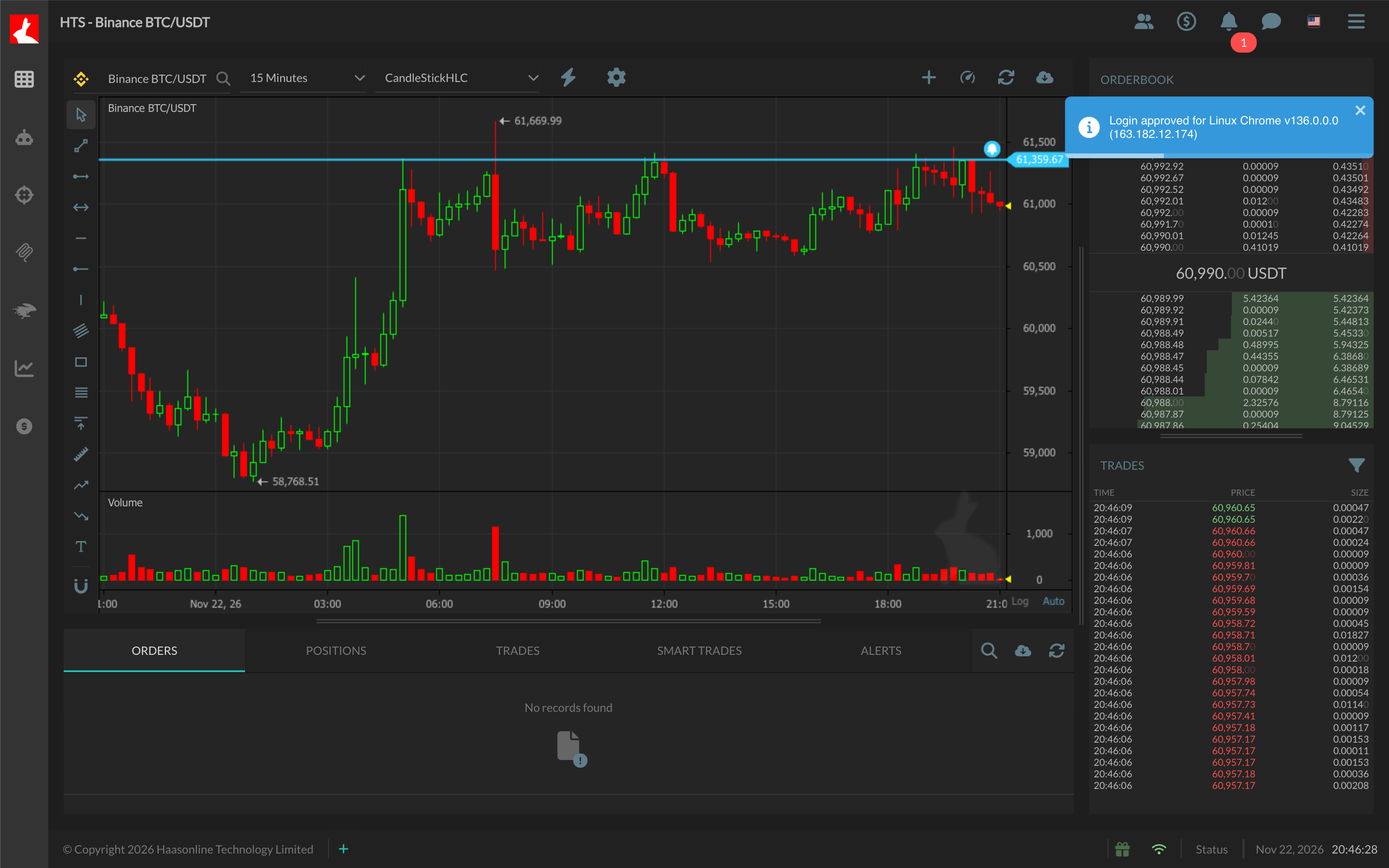
Set an alert
From the right-click menu (Marketview)
Right-click the chart on Marketview:
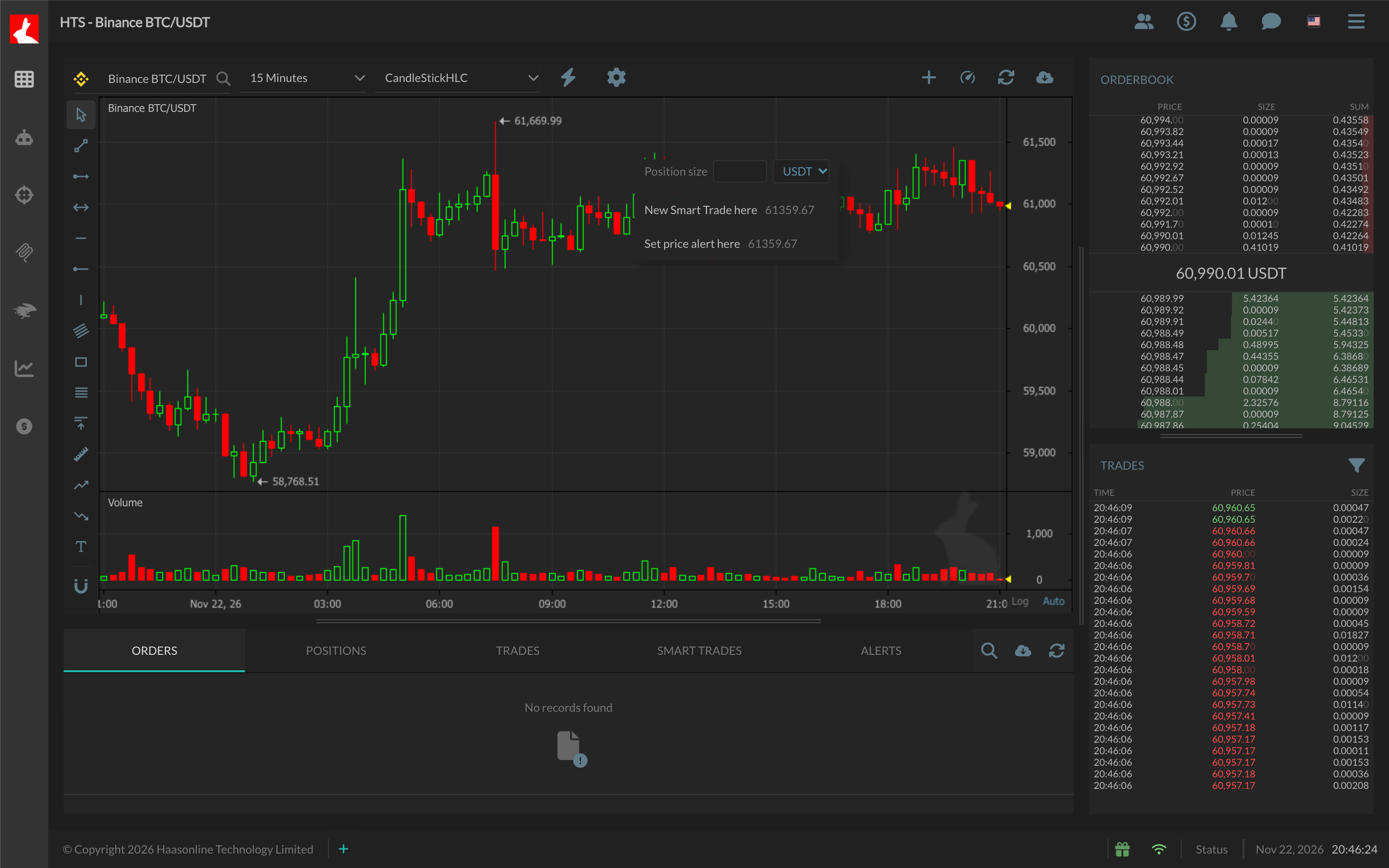
- Set price alert here draws a horizontal line at the price you right-clicked and opens the alert form for it.
- Add alert to this line shows when you right-click on a line that can have an alert: a horizontal line, a horizontal ray, a trend line, a ray or an extended line.
- Alert me at entry shows when you right-click inside a long or short. The alert watches the entry, and it's set to wait for price to come back to the entry from where it is now: crosses down when price is above the entry, crosses up when it's below.
On a line or a position that already has an alert, the same item reads Edit the alert on this line (or Edit the alert at entry).
From the drawing rail (every chart)
Select a line or a position, then click the bell on the drawing rail. This is how you set alerts on a bot's chart and on the dashboard's chart widgets, which have no right-click menu. When the drawing already has an alert, the bell is filled and edits it.
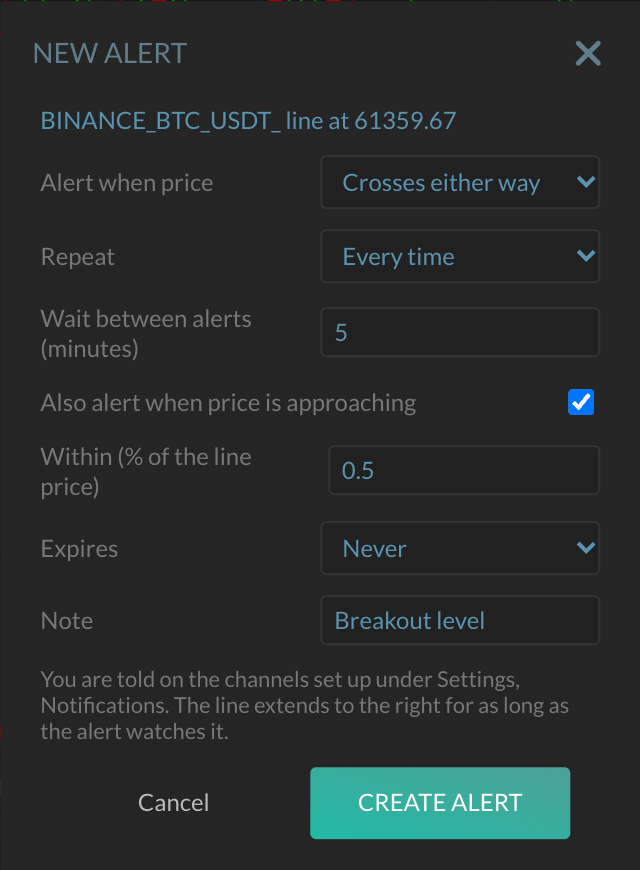
The alert form
| Field | What it does |
|---|---|
| Alert when price | Crosses up, Crosses down or Crosses either way |
| Repeat | Once (the default): the alert fires one time and stops. Every time: it fires on each cross |
| Wait between alerts (minutes) | For Every time only: the least time between two alerts, in whole minutes, at least 1 |
| Also alert when price is approaching | An early warning when price comes within a percentage of the line (above 0 and at most 50), before it crosses. It's a heads-up only: it doesn't use up a Once alert |
| Expires | Never, or in 1 hour, 1 day, 7 days or 30 days |
| Note | Your own label, up to 200 characters. It's shown in the notification |
A new alert never fires just because price is already past the line. It starts watching from where price is when you save it, and fires on the next cross.
On the chart
- A line with an alert has a bell at its right end.
- A trend line, a ray drawn to the left, or a position's entry gets a dashed line to the right edge of the chart, because that's where the alert keeps watching: a trend line's alert follows its slope into the future.
- The bell turns gray once the alert no longer watches: a Once alert that has fired, a paused alert or an expired one.
Moving a line moves its alert. Drag the line or one of its points and the alert follows. Deleting a line asks whether to delete its alert too; keep it, and it goes on watching the same price.
The Alerts tab
Marketview's bottom panel has an Alerts tab with your alerts on this market, or on every market with All markets ticked.

| Column | What it shows |
|---|---|
| Line now | The price the line is at right now. For a trend line it moves with time |
| Condition | Crosses up, down or either way |
| Repeat | Once, or how often it may fire |
| Status | Armed (watching), Fired, Paused, Expired or Needs attention |
| Fired | How many times it fired, and when it last did |
| Note | Your label |
Each row has:
- Pause and Resume. A paused alert doesn't catch up on crosses that happened while it was paused.
- Re-arm on a Once alert that has fired, to watch again from the current price.
- History: each time it fired, with the line price and the last price, and Approaching warnings.
- Delete. The line stays on the chart.
Notifications
A fired alert is sent like a Smart Trade notification, on the channels you've set up: the in-app notification center, browser and push notifications, Telegram and Discord. In the app it also pops up:
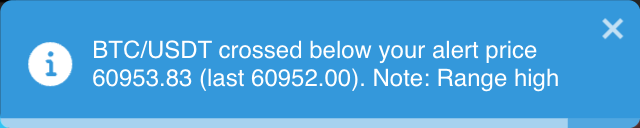
The message names the market, the direction, the alert's price, the last price and your note, for example BTC/USDT crossed above your alert price 61183.71 (last 61184.49). Note: Breakout level.
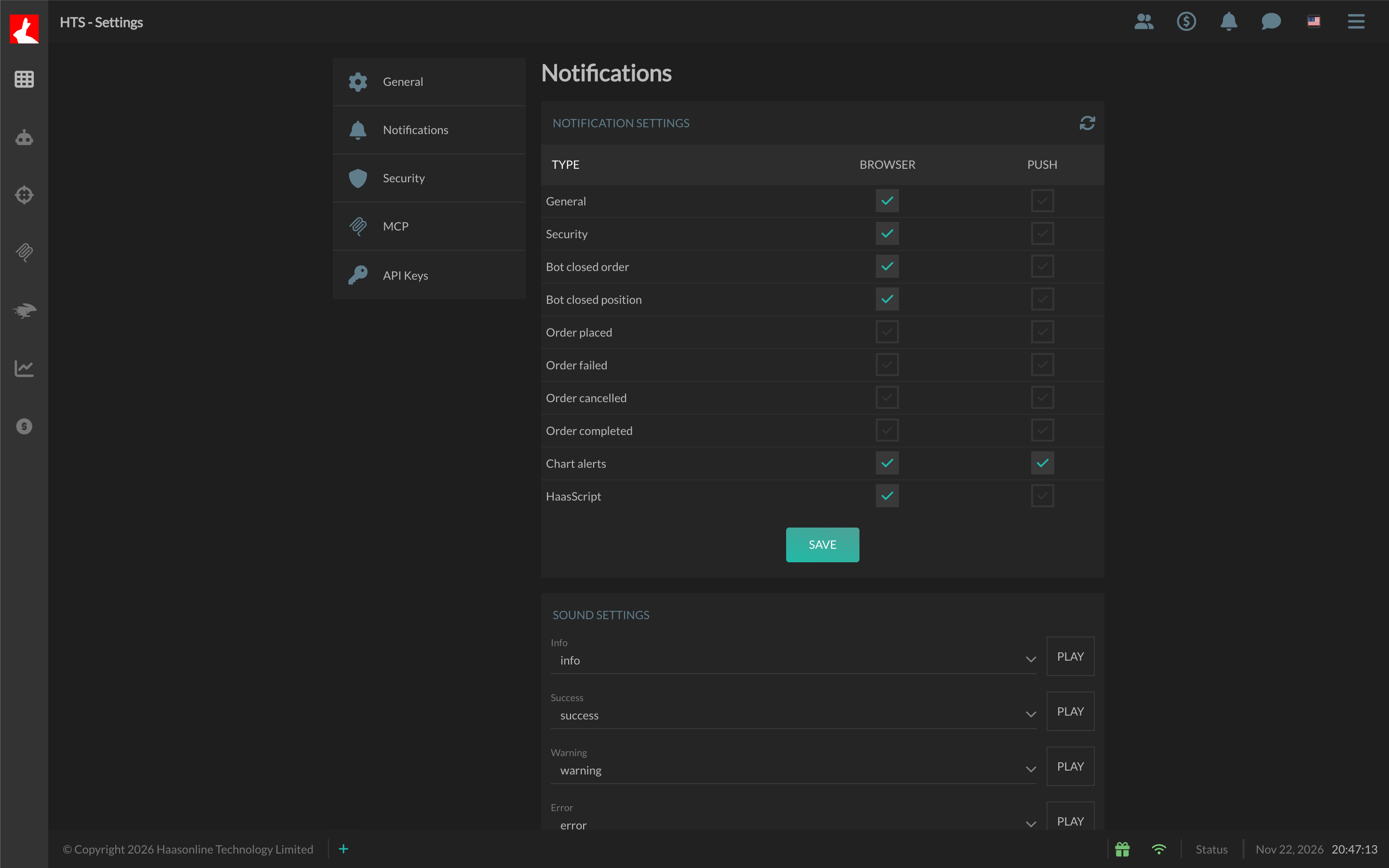
To turn price alerts off for browser or push notifications, untick Chart alerts under Settings, Notifications. Each Telegram and Discord channel set up on the same page has its own Chart alerts switch in its settings. Every Chart alerts switch is on by default.
Note
You get at most 60 alert notifications an hour. After that, one notice says the limit was reached; alerts go on firing for the rest of the hour and show in their history, without a notification.
If price crosses while our servers are being updated, the alert is sent as soon as they're back and says about how long ago the cross happened.
How many alerts you can have
The limit counts alerts that are watching (armed); fired, paused and expired ones don't count.
| Plan | Armed alerts |
|---|---|
| Starter | 5 |
| Standard, Trial | 25 |
| Pro | 200 |
After a downgrade, alerts you already have keep watching, but you can't add new ones until you're under the new limit. Your plan's number is the Chart alerts row on License information.
Note
Price alerts are a TradeServer Cloud feature. Self-hosted TradeServer doesn't have them yet.